 1 / 8
Savings Challenge
This savings challenge tracker for Google Sheets turns saving money into a game.
$3.99
One-time paymentSecure checkout by Stripe · Card, Apple Pay, Google Pay
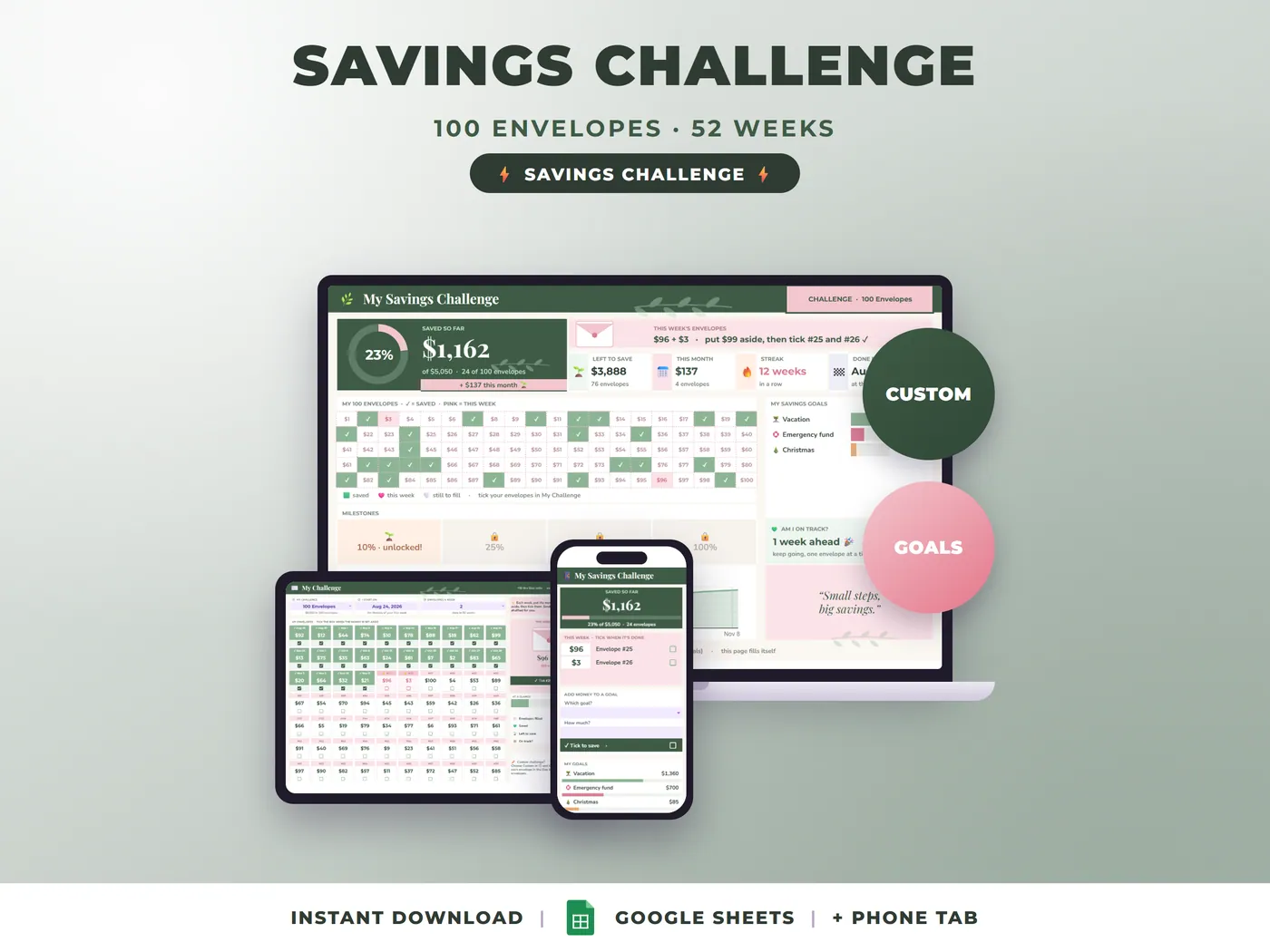
This savings challenge tracker for Google Sheets turns saving money into a game. Each week, put the money of your pink envelopes aside, tick them, and watch them turn green. The date is noted for you, your total grows, and you unlock milestones along the way. Choose the 100 envelope challenge ($1 to $100, $5,050 in total), the 52 week money challenge ($1 more each week, $1,378) or your own custom amounts. Fill 1, 2 or 3 envelopes a week: the tracker tells you exactly which ones and how much to put aside.
Made for you if...
Your routine
When To Use It
Today, to pick your challenge and fill your first envelope
Each week, to know which envelopes to fill and tick them
On payday, to add money to your savings goals
Any time you need a little motivation: check your streak and your milestones
5 tabs
What's inside
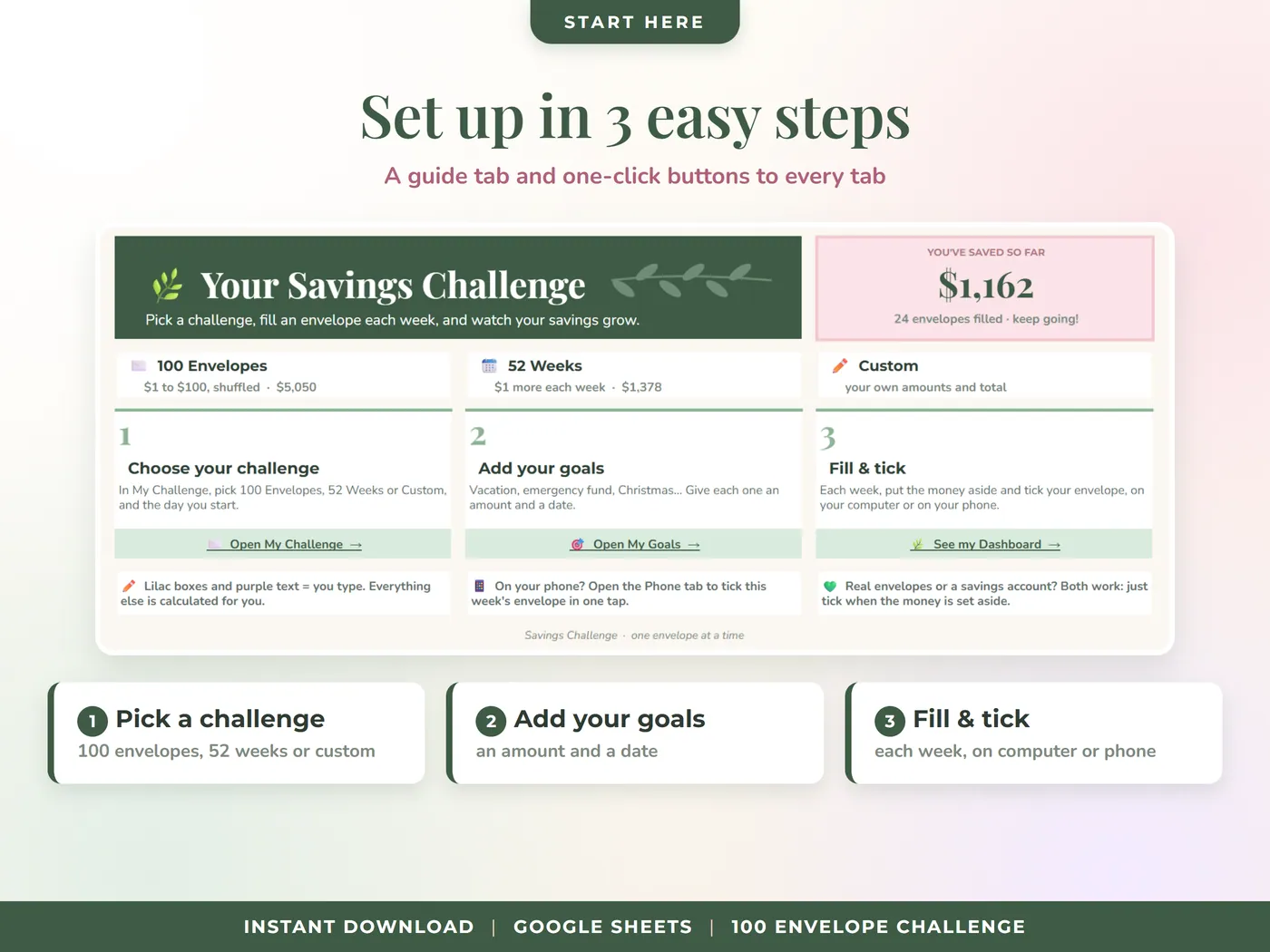
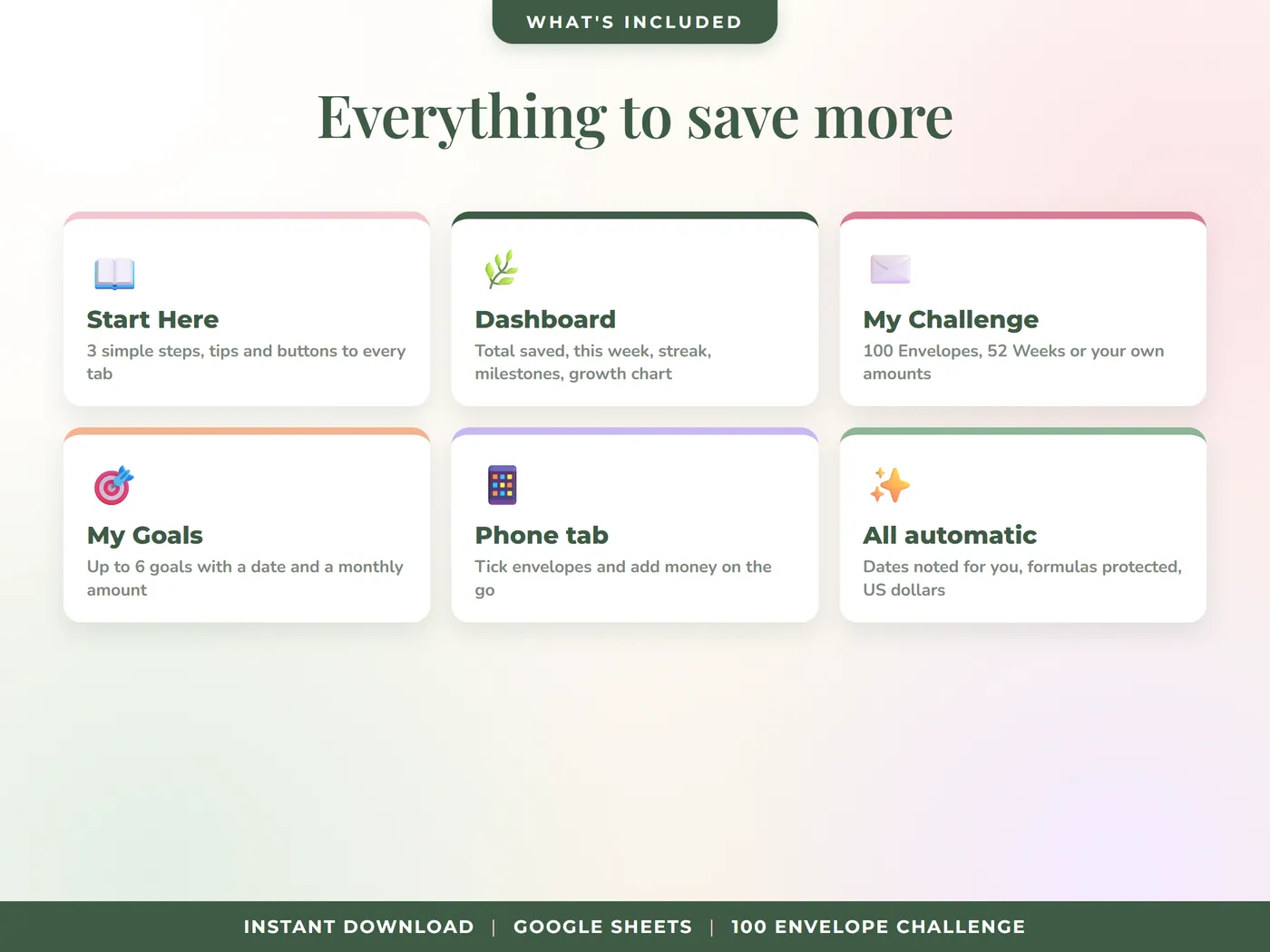
3 simple steps and one-click buttons to every tab
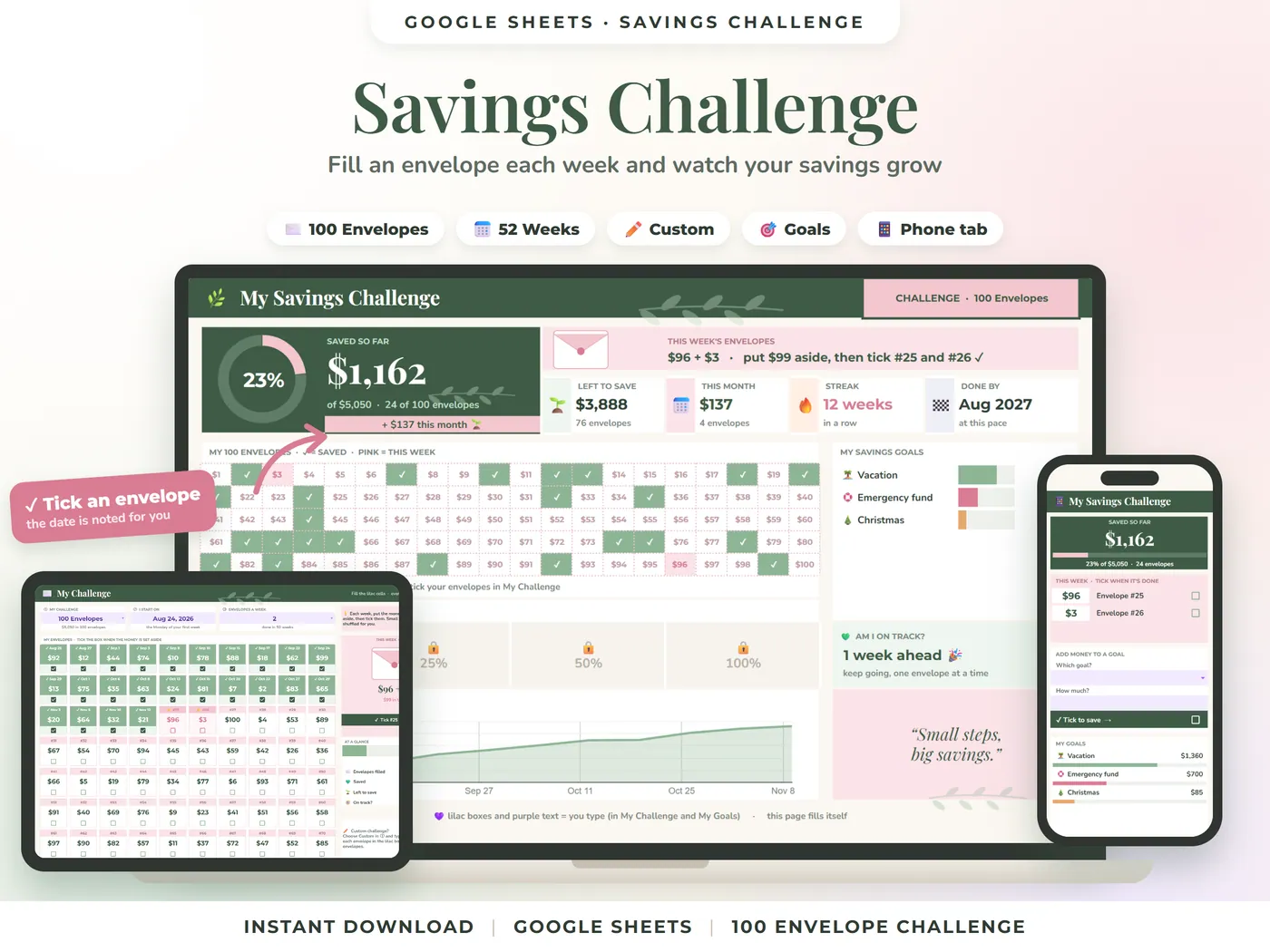
Total saved with a progress ring, this week's envelopes, left to save, this month, your streak, your "done by" date, a grid of all your envelopes, milestone medals (10%, 25%, 50%, 100%), a savings growth chart, your goals and "Am I on track?"
One simple page made for your phone. Tick this week's envelopes and add money to a goal in a few taps
100 envelope cards, shuffled small and big amounts, the envelopes of the week in pink, a green card with the date for each envelope you fill, and a lilac grid for your own custom amounts
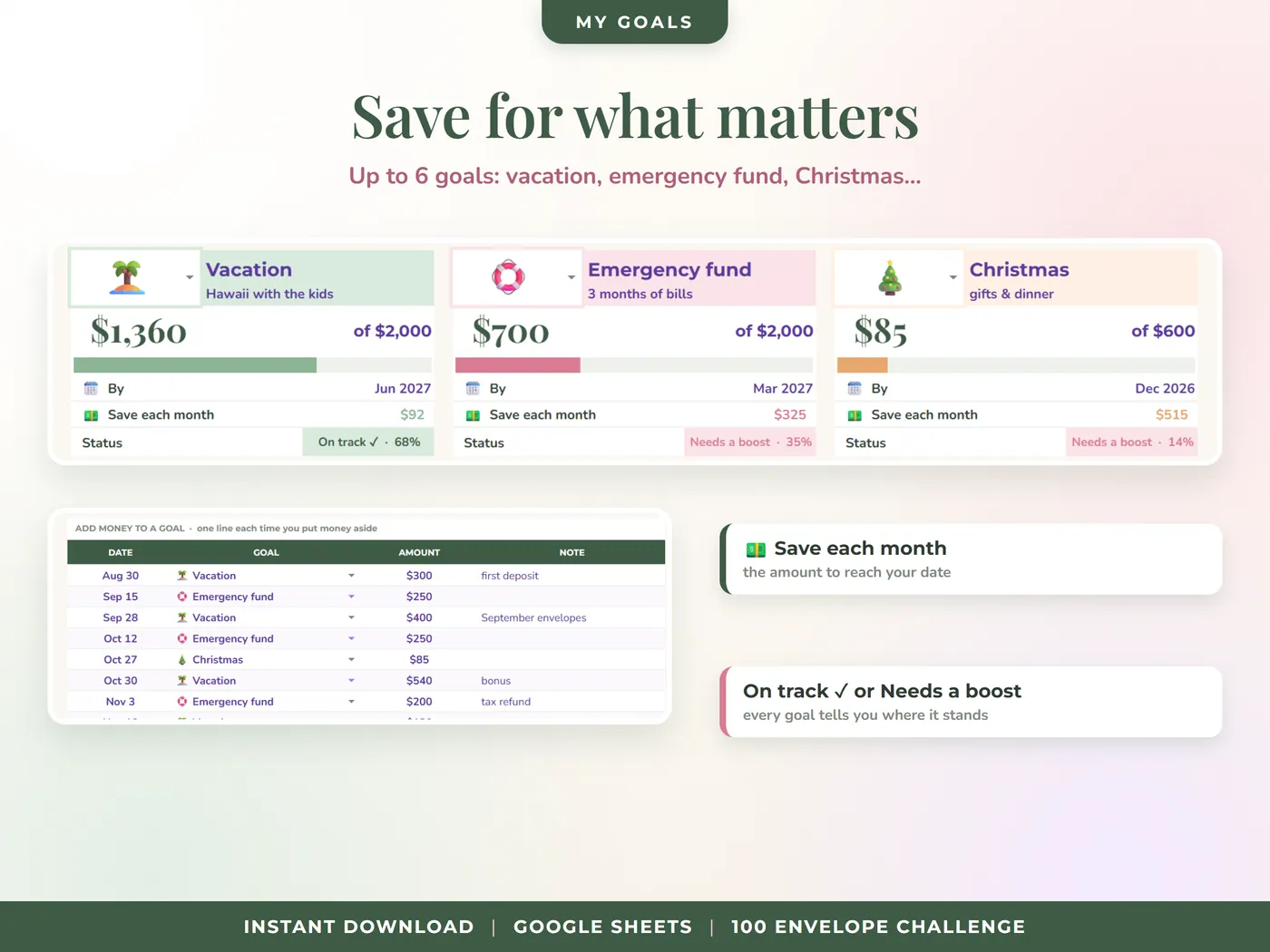
Up to 6 savings goals with an emoji, a target and a date. Each goal tells you how much to save each month and if it's on track, plus a simple list to log every deposit
Easy To Use
- Lilac boxes and purple text are yours to fill in; everything else is calculated
- Tick an envelope and the date is written for you
- Formulas are protected, so you can't break them by mistake
- Soft olive and blush design with little envelopes and leaves
Computer, Tablet Or Phone?
On a computer (Mac or Windows, in any web browser): the easiest way to set up your challenge and goals
On your phone or tablet (free Google Sheets app for iPhone, iPad and Android): open the Phone tab to tick your envelopes each week
Everything stays in sync on all your devices
What You Get
- A Google Sheets savings challenge template: you get your own private copy with one click
- A PDF with your access link, a quick start guide and answers to common questions
Delivered instantly · $3.99 · pay once
What You Need
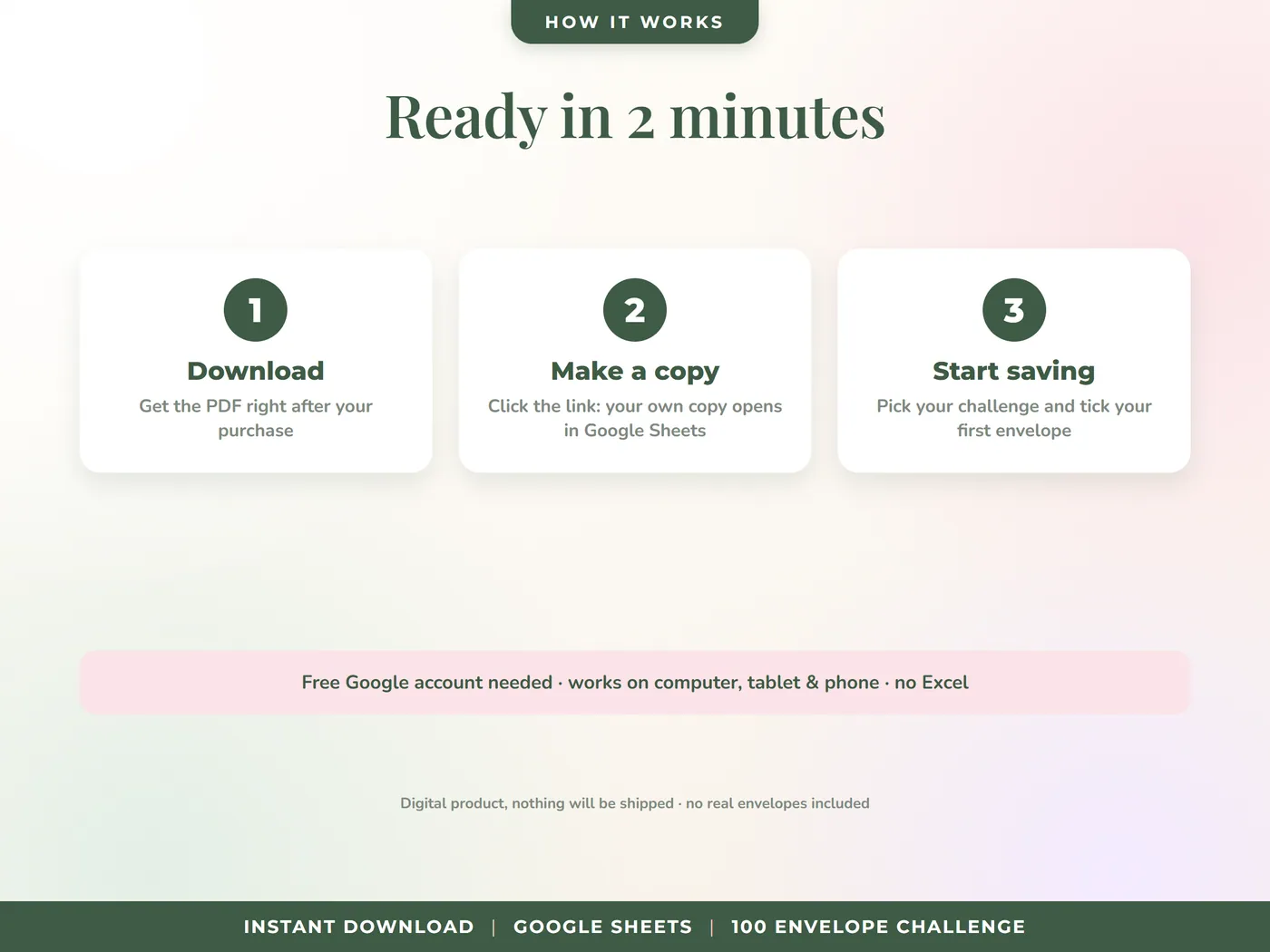
- A free Google account
- A computer is recommended for the first setup
- This tracker is made for Google Sheets; it does not work in Excel or Numbers
Step by step
How To Get Started
- 01
Buy it here: your download page opens right away, with your link and the PDF
- 02
Click the link in the PDF and choose "Make a copy"
- 03
In My Challenge, pick your challenge, your start date and how many envelopes a week
- 04
Put the money of the pink envelopes aside and tick them
Why You'll Love It
- Pay once, no monthly fee
- Saving feels like a game: tick, turn green, unlock milestones
- Works with real cash envelopes or a savings account
- Your data stays private in your own Google Drive
Please Note
- This is a digital download; no physical item will be shipped (no real envelopes included)
- Because of the digital nature of this item, returns and refunds are not accepted
- Amounts are in US dollars
- This tracker is a planning tool, not financial advice
- For personal use only; please do not share or resell the template