 1 / 8
Paycheck Budget
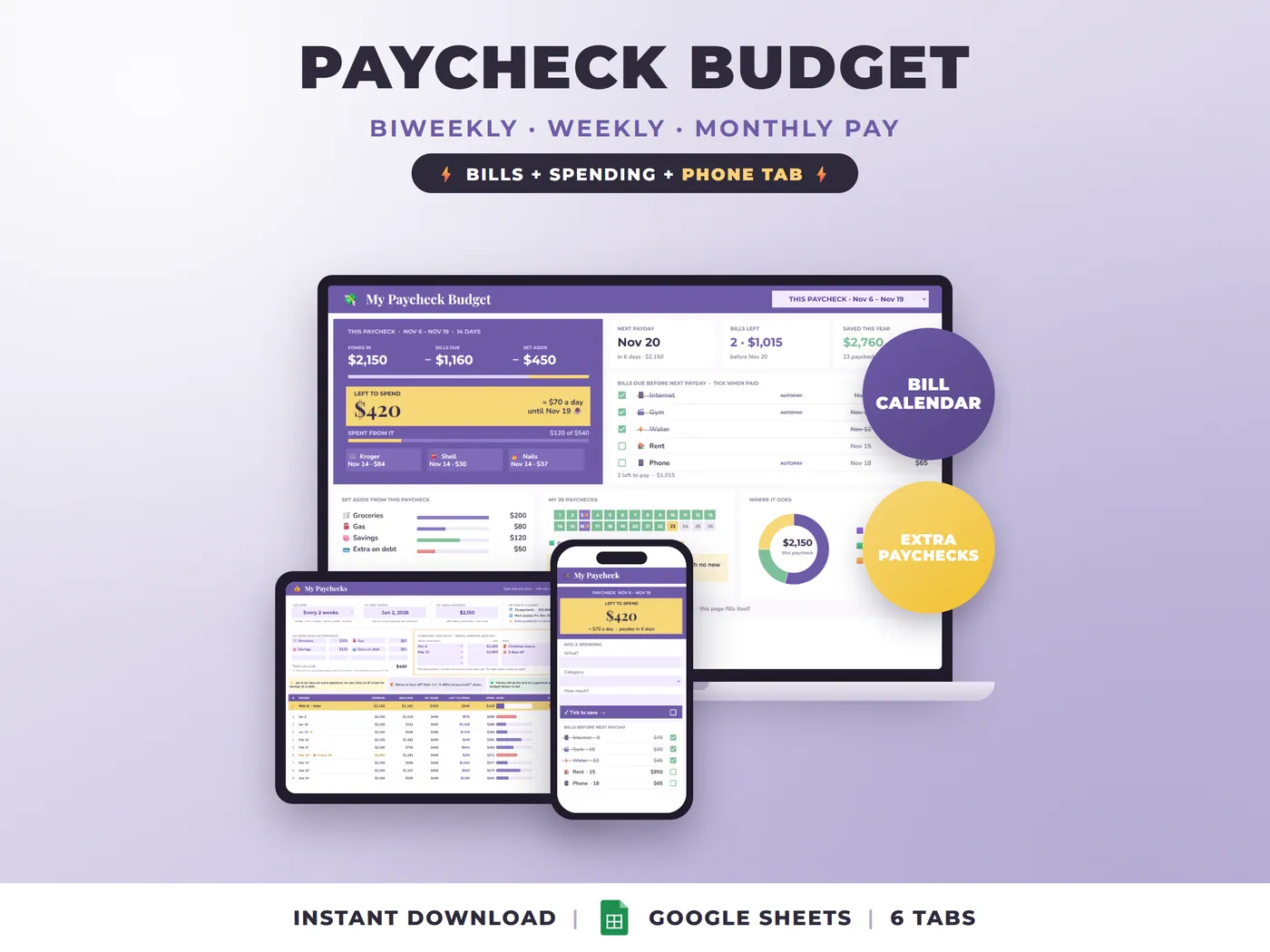
This paycheck budget for Google Sheets gives every paycheck a job.
$5.99
One-time paymentSecure checkout by Stripe · Card, Apple Pay, Google Pay
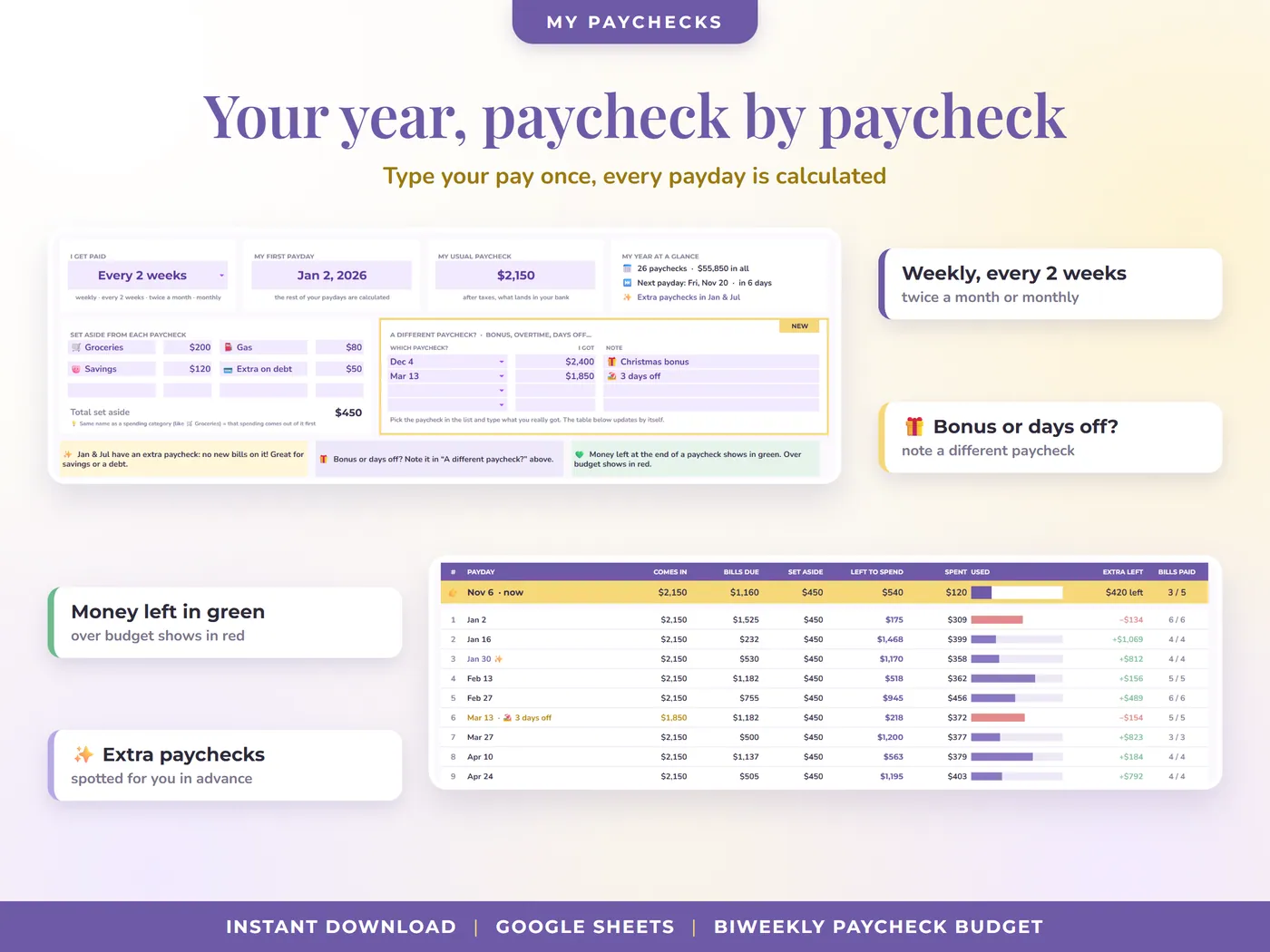
This paycheck budget for Google Sheets gives every paycheck a job. Type your pay and your bills once: each bill lands on the right paycheck, your savings are set aside, and you see exactly what's left to spend until your next payday. Paid every 2 weeks, every week, twice a month or once a month? Pick it once and all your paydays of the year are calculated. Got a bonus or took days off? Note that paycheck and everything updates by itself. Extra paychecks (the months with 3 paydays) are spotted for you in advance.
Made for you if...
Your routine
When To Use It
Today, to set your pay and list your bills (about 10 minutes)
On payday, to see your bills, your savings and what's left to spend
Each time you spend, to note it in a few seconds (on your phone too)
When a bill is paid, to tick it
6 tabs
What's inside
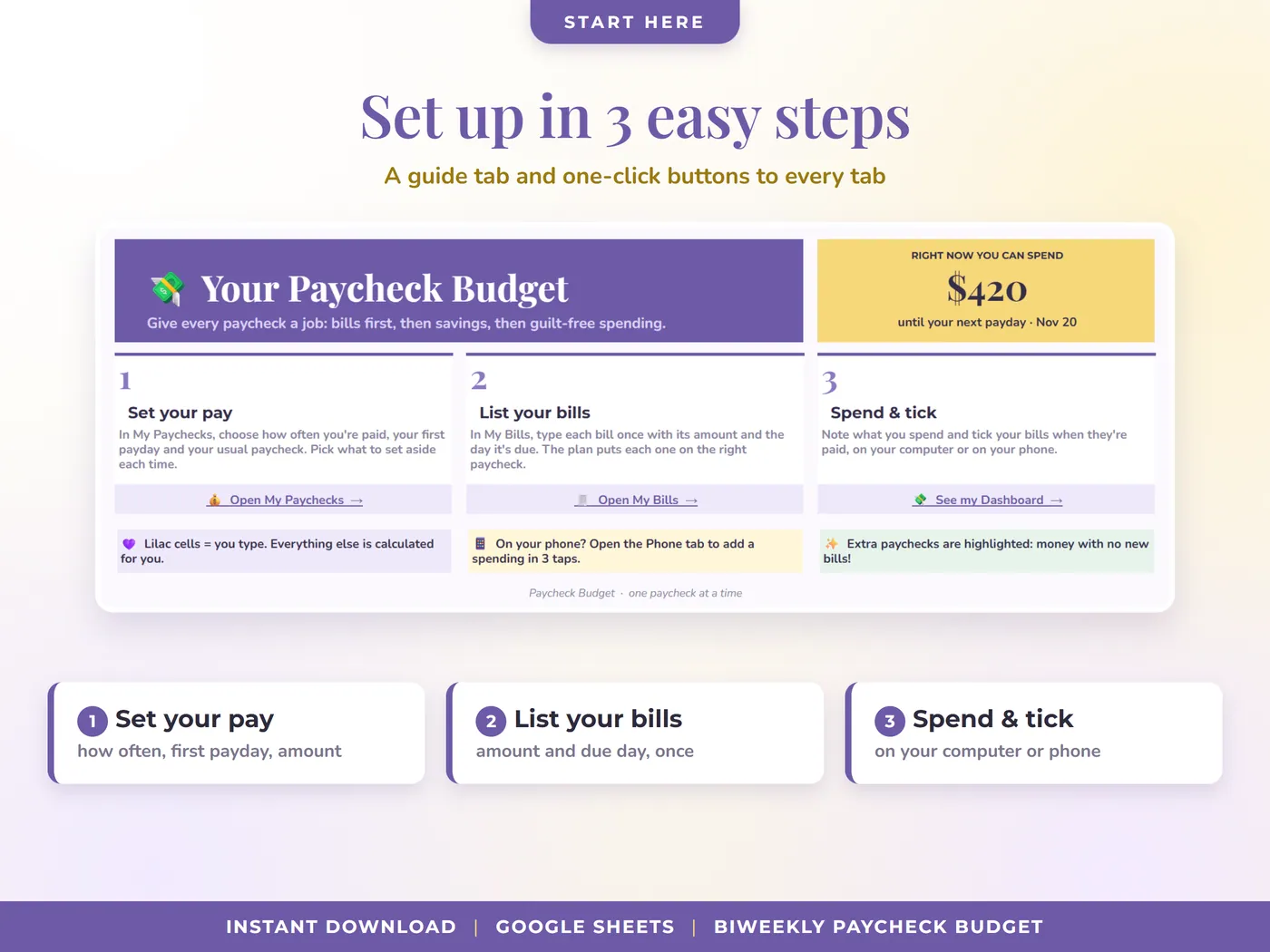
3 simple steps and one-click buttons to every tab
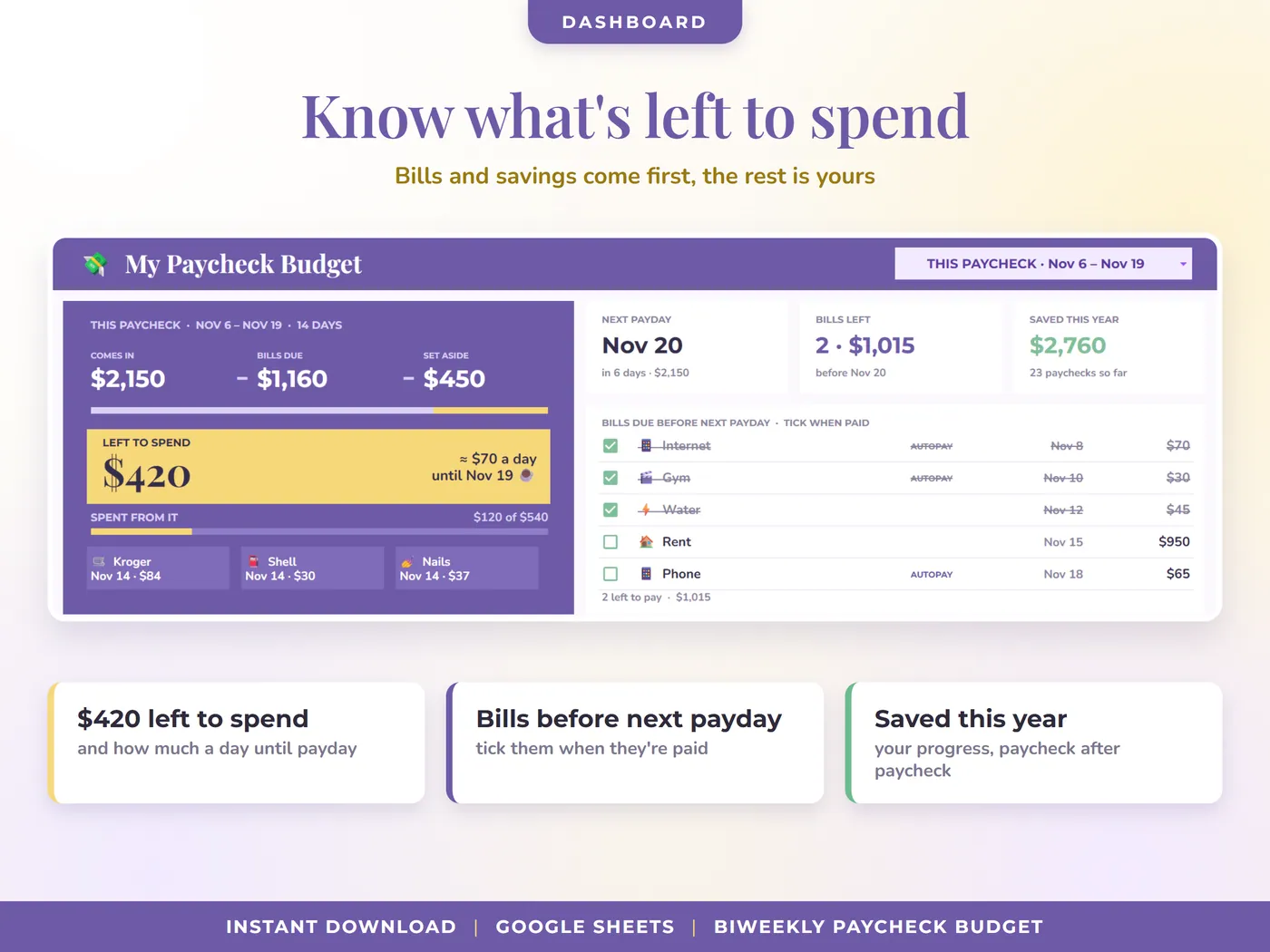
This paycheck at a glance (comes in, bills due, set aside), left to spend with how much a day until payday, bills due before next payday to tick, next payday, bills left, saved this year, your set-asides, all your paychecks of the year and a "where it goes" chart. Pick any paycheck of the year to see it
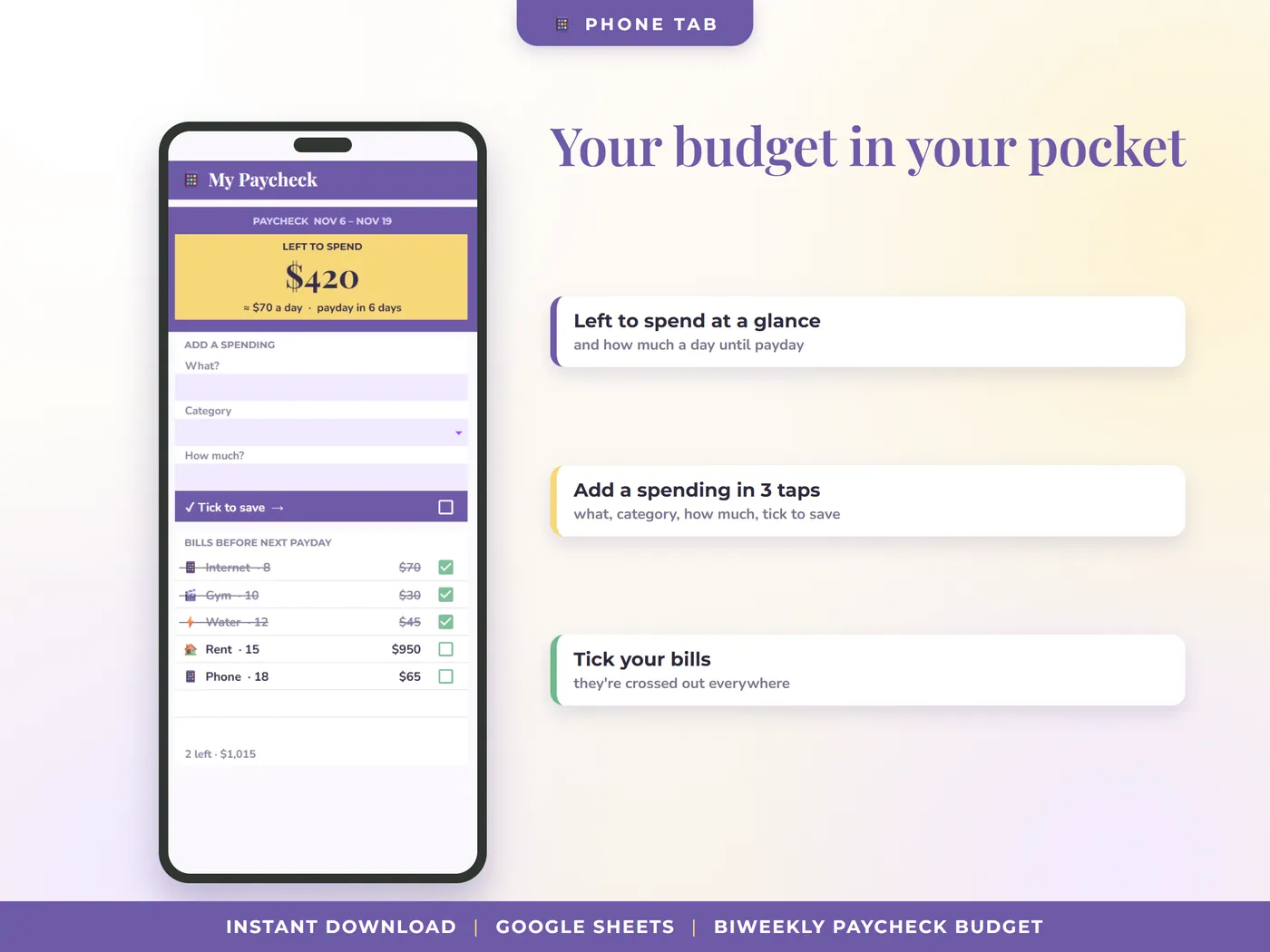
One simple page made for your phone. See what's left, add a spending in 3 taps and tick your bills
How often you're paid, your first payday and usual paycheck, up to 6 set-asides (groceries, gas, savings, extra on debt…), a "different paycheck?" box for bonuses and days off, and a table of every paycheck of the year with bills due, left to spend, spent and extra left
Up to 30 bills with category, amount, due day and how often (monthly, every 2 months, every 3 months or yearly), autopay, which paycheck pays it and its next due date, plus a month calendar and your bills by category
One line each time you spend, newest at the top, 12 categories you can rename, still left to spend and this paycheck by category
Easy To Use
- Lilac boxes are yours to fill in; everything else is calculated
- Money left at the end of a paycheck shows in green, over budget in red
- Formulas are protected, so you can't break them by mistake
- Soft lavender and butter yellow design
Computer, Tablet Or Phone?
On a computer (Mac or Windows, in any web browser): the easiest way to set up your pay and your bills
On your phone or tablet (free Google Sheets app for iPhone, iPad and Android): open the Phone tab to add a spending and tick your bills
Everything stays in sync on all your devices
What You Get
- A Google Sheets paycheck budget template: you get your own private copy with one click
- A PDF with your access link, a quick start guide and answers to common questions
Delivered instantly · $5.99 · pay once
What You Need
- A free Google account
- A computer is recommended for the first setup
- This template is made for Google Sheets; it does not work in Excel or Numbers
Step by step
How To Get Started
- 01
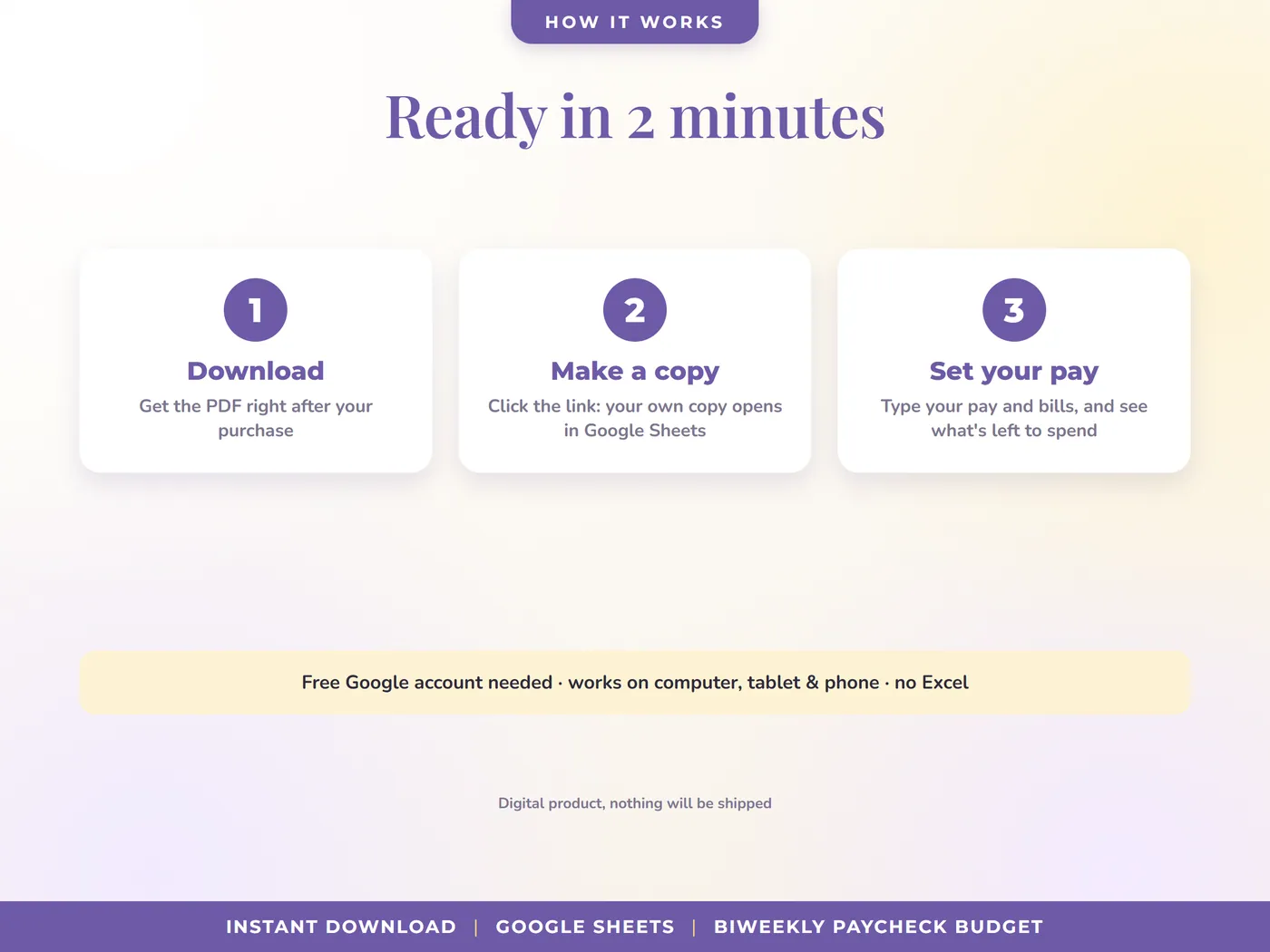
Buy it here: your download page opens right away, with your link and the PDF
- 02
Click the link in the PDF and choose "Make a copy"
- 03
In My Paychecks, set how often you're paid, your first payday and your usual paycheck
- 04
In My Bills, type each bill once, then see what's left to spend on the Dashboard
Why You'll Love It
- Pay once, no monthly fee, no bank connection
- You always know what's left to spend until payday
- Bills are never a surprise: each one is on the right paycheck
- Your data stays private in your own Google Drive
Please Note
- This is a digital download; no physical item will be shipped
- Because of the digital nature of this item, returns and refunds are not accepted
- Amounts are in US dollars
- This template is a planning tool, not financial advice
- For personal use only; please do not share or resell the template