 1 / 8
Household Budget
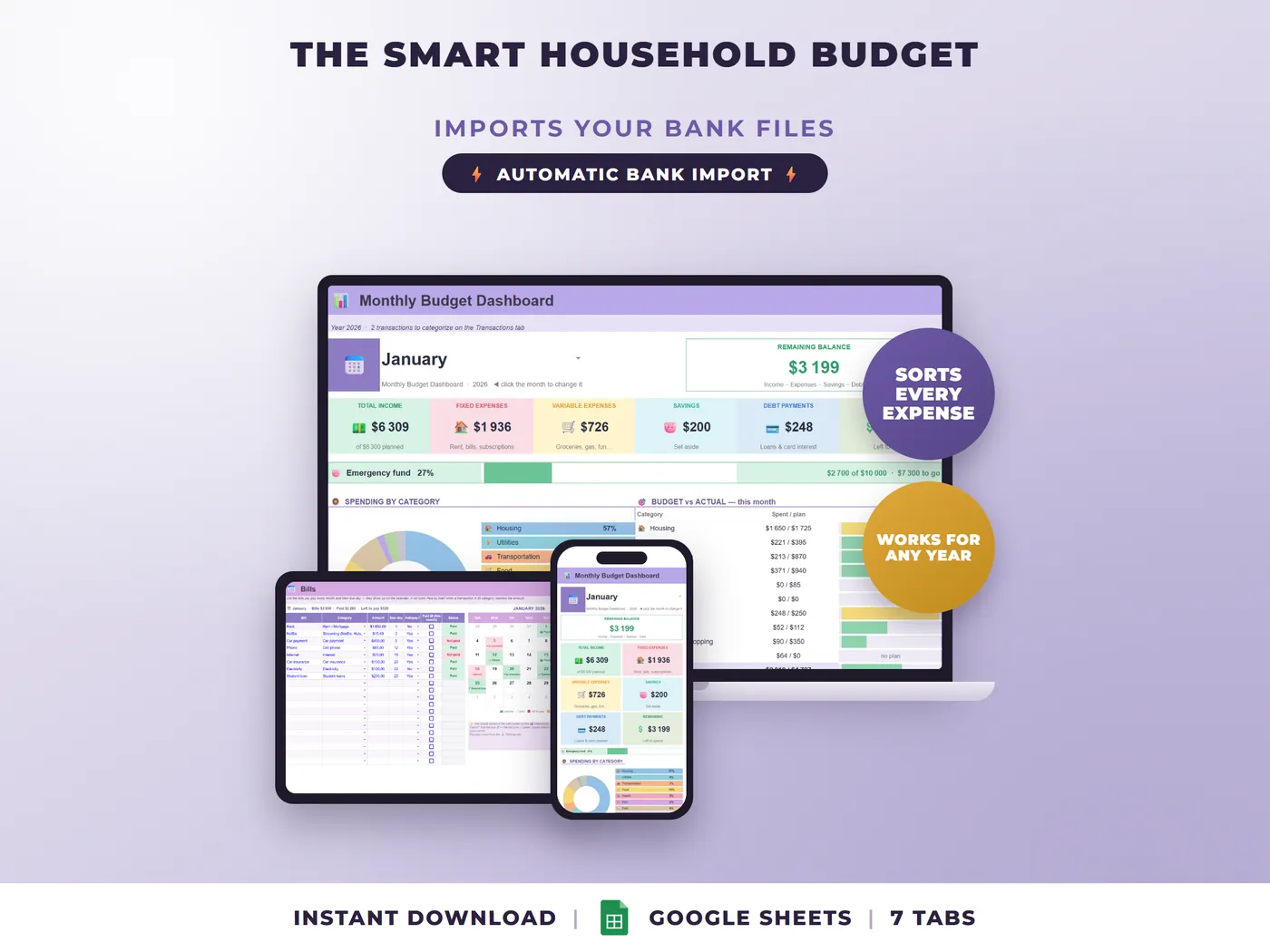
This monthly budget spreadsheet for Google Sheets imports your bank transactions and builds your budget dashboard for you.
$5.99
One-time paymentSecure checkout by Stripe · Card, Apple Pay, Google Pay
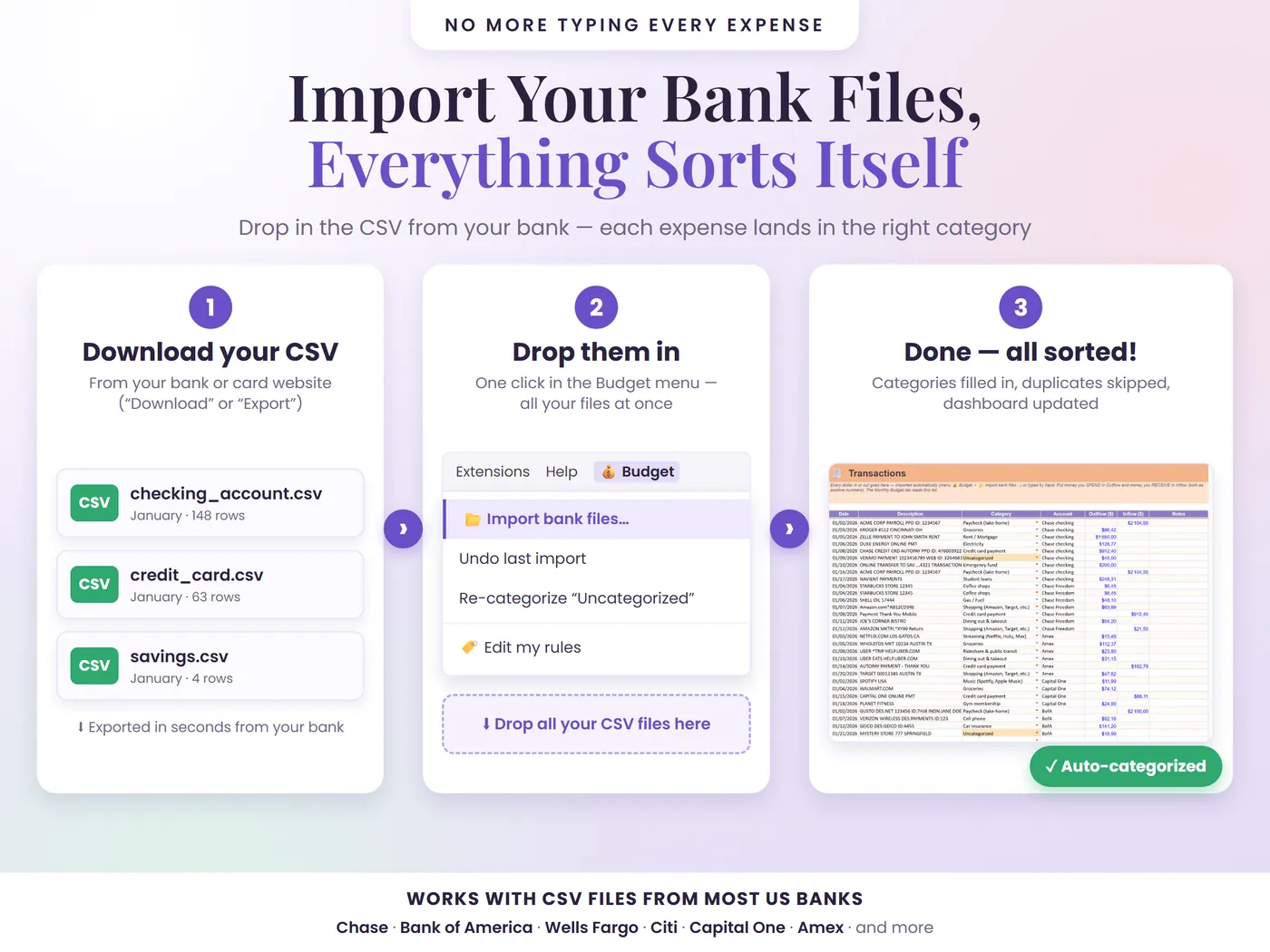
This monthly budget spreadsheet for Google Sheets imports your bank transactions and builds your budget dashboard for you. It's an easy budget planner for beginners, families and couples in the US who want to see where their money goes, track bills and reach a savings goal, without a budgeting app subscription. Download the CSV file from your bank, click Import, and your expense tracker, monthly budget and bill tracker fill in automatically. No formulas to write, no copy and paste.
Made for you if...
Your routine
When To Use It
At the start of the year or the start of any month to set your monthly budget plan
On payday, to check what's left after bills and savings
Once a week or once a month, to import your latest bank and credit card transactions
Before a bill is due, to see what's paid and what's coming on the bills calendar
At the end of the month, to compare your budget vs. actual spending and adjust next month
At the end of the year, to review yearly totals by category and your savings rate
7 tabs
What's inside
Setup steps, done in about 5 minutes
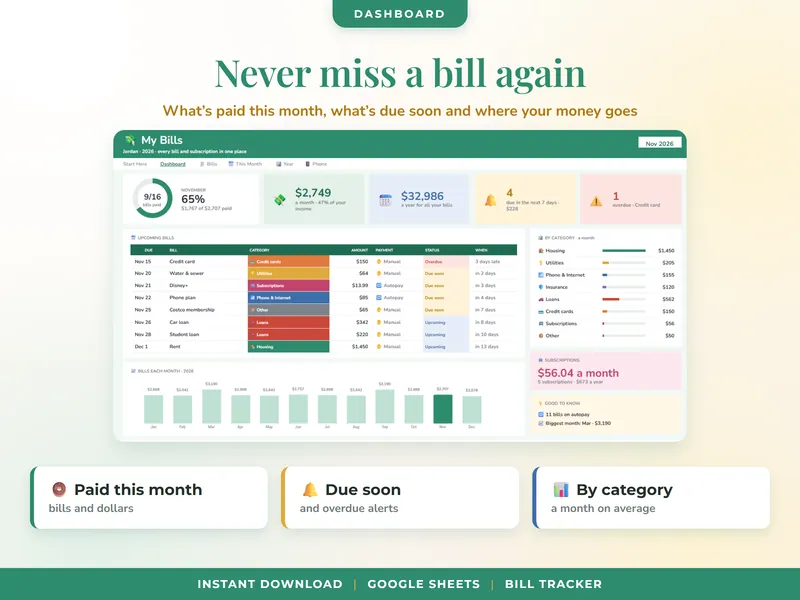
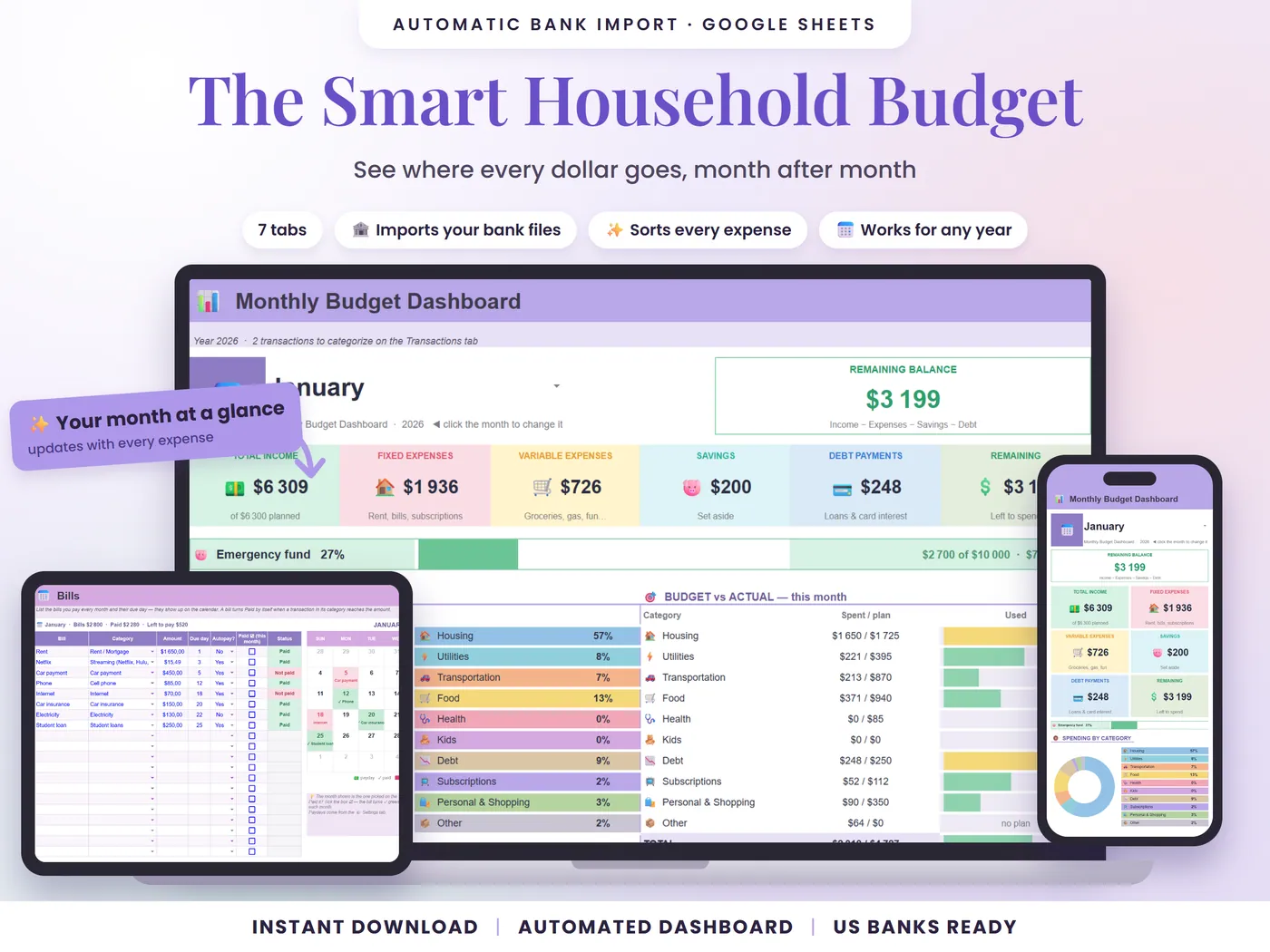
Pick a month and see your income, fixed expenses, variable expenses, savings, debt payments and what's left to spend, with a spending by category chart, a budget vs. actual table and a savings goal progress bar
A yearly budget planner with all 12 months side by side, your plan next to what you really spent in every category, plus yearly totals, savings rate and cash on hand
Every dollar in and out, imported from your bank or typed by hand
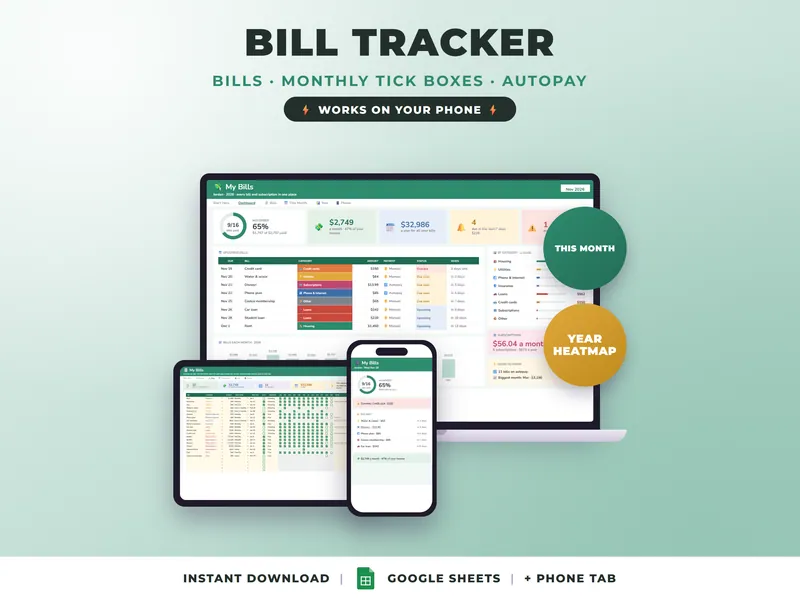
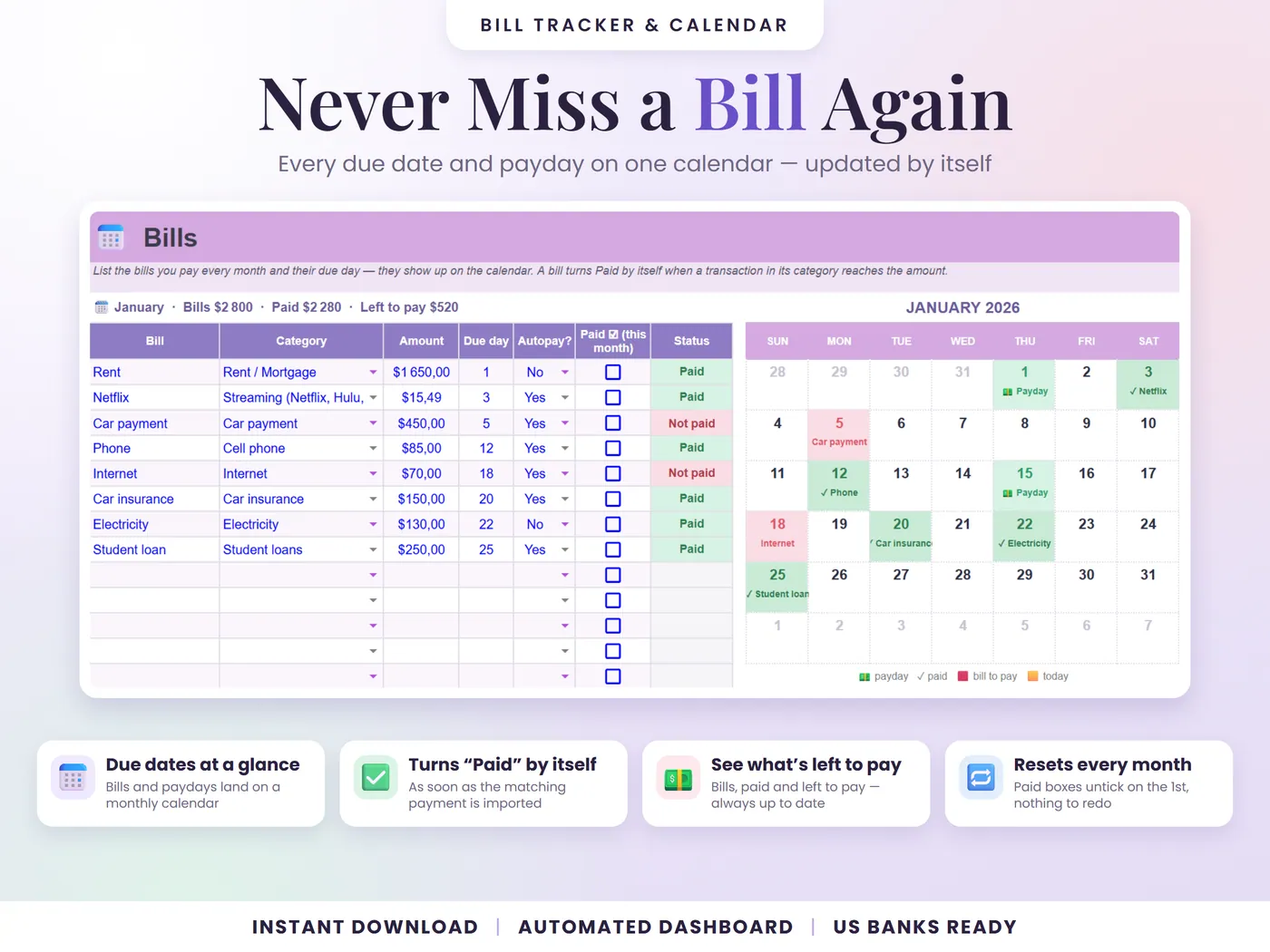
A monthly bill tracker with due dates, autopay and paid checkboxes, shown on a bill payment calendar
Paydays, starting cash, savings goal and a credit card tracker (limit, balance, APR, minimum payment, due date, credit utilization and estimated interest)
Your own keywords to sort transactions into categories automatically
Automatic Bank Import
- Works with CSV files from Chase, Bank of America, Wells Fargo, Citi, Capital One, Amex, Discover and most US banks and credit cards
- Transactions are sorted into categories for you (groceries, rent, gas, dining out, subscriptions and more)
- Lines you already imported are skipped, so nothing is counted twice
- Credit card payments are not counted as spending twice
- Imported the wrong file? Undo the last import in one click
Computer, Tablet Or Phone?
On a computer (Mac or Windows, in any web browser): set up your budget and import your bank files with the Budget menu
On your phone or tablet (free Google Sheets app for iPhone, iPad and Android): check your dashboard on the go, tick off paid bills and add a cash purchase
Bank imports need a computer, because the Budget menu is not available in the Google Sheets phone app
Everything stays in sync: what you change on one device shows up on the others
What You Get
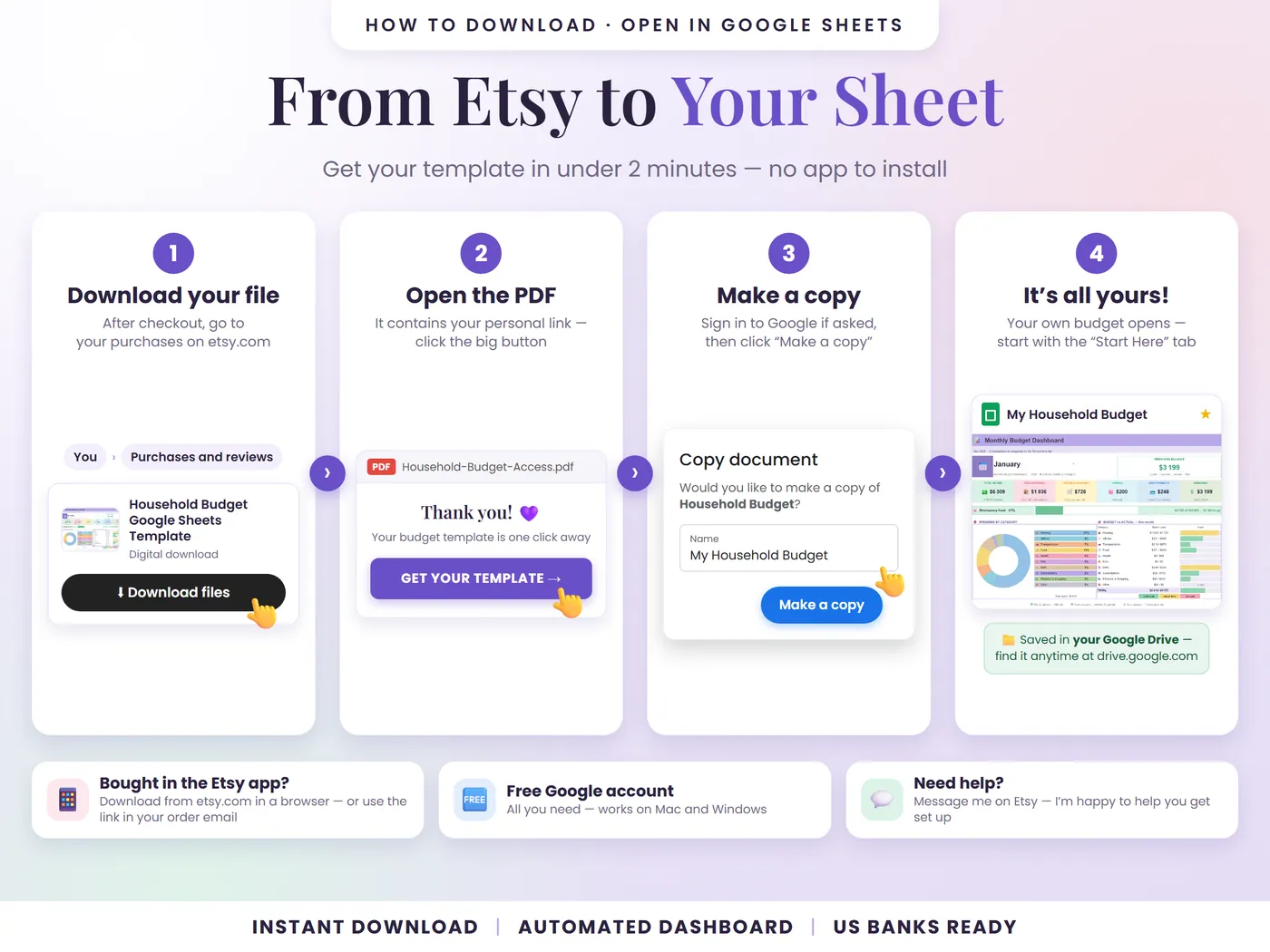
- A Google Sheets budget template: you get your own private copy with one click
- A PDF with your access link, a quick start guide and answers to common questions
Delivered instantly · $5.99 · pay once
What You Need
- A free Google account
- A computer for the setup and bank imports
- This digital budget planner is made for Google Sheets; it does not work in Excel or Numbers
Step by step
How To Get Started
- 01
Buy it here: your download page opens right away, with your link and the PDF
- 02
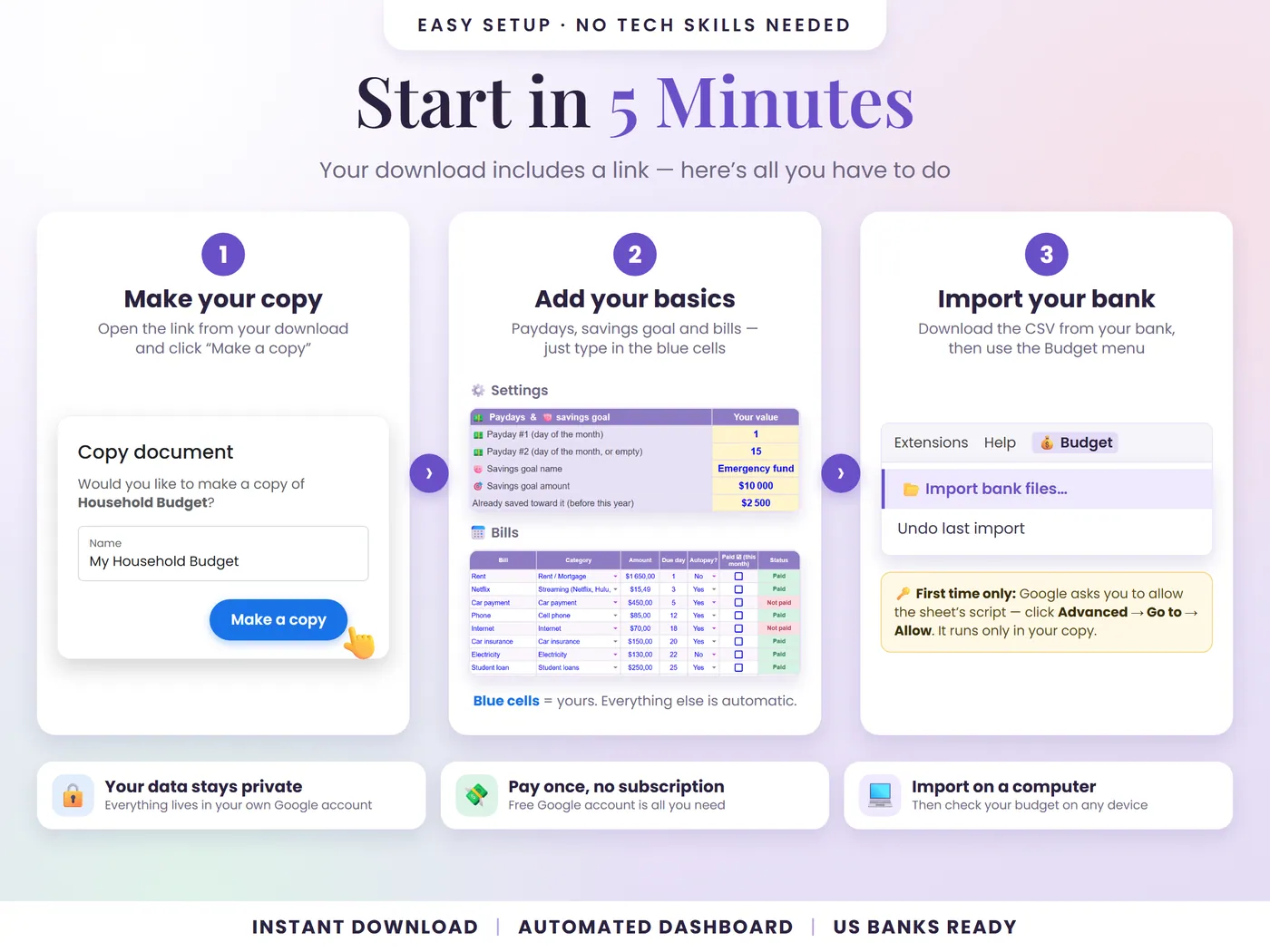
Click the link in the PDF and choose "Make a copy"
- 03
Fill in the blue cells: paydays, savings goal, bills and your monthly plan
- 04
Import your first bank file with Budget > Import bank files
- 05
The first time you import, Google asks you to allow the template's script. It only works inside your own copy and never sends your data anywhere.
Why You'll Love It
- Pay once, no monthly fee
- Your financial data stays private in your own Google Drive
- Blue cells are yours to fill in; everything else is calculated for you
- Use it again next year: make a fresh copy from your link and set the new year in Settings
Please Note
- This is a digital download; no physical item will be shipped
- Because of the digital nature of this item, returns and refunds are not accepted
- Amounts are in US dollars
- For personal use only; please do not share or resell the template