 1 / 8
Emergency Stockpile
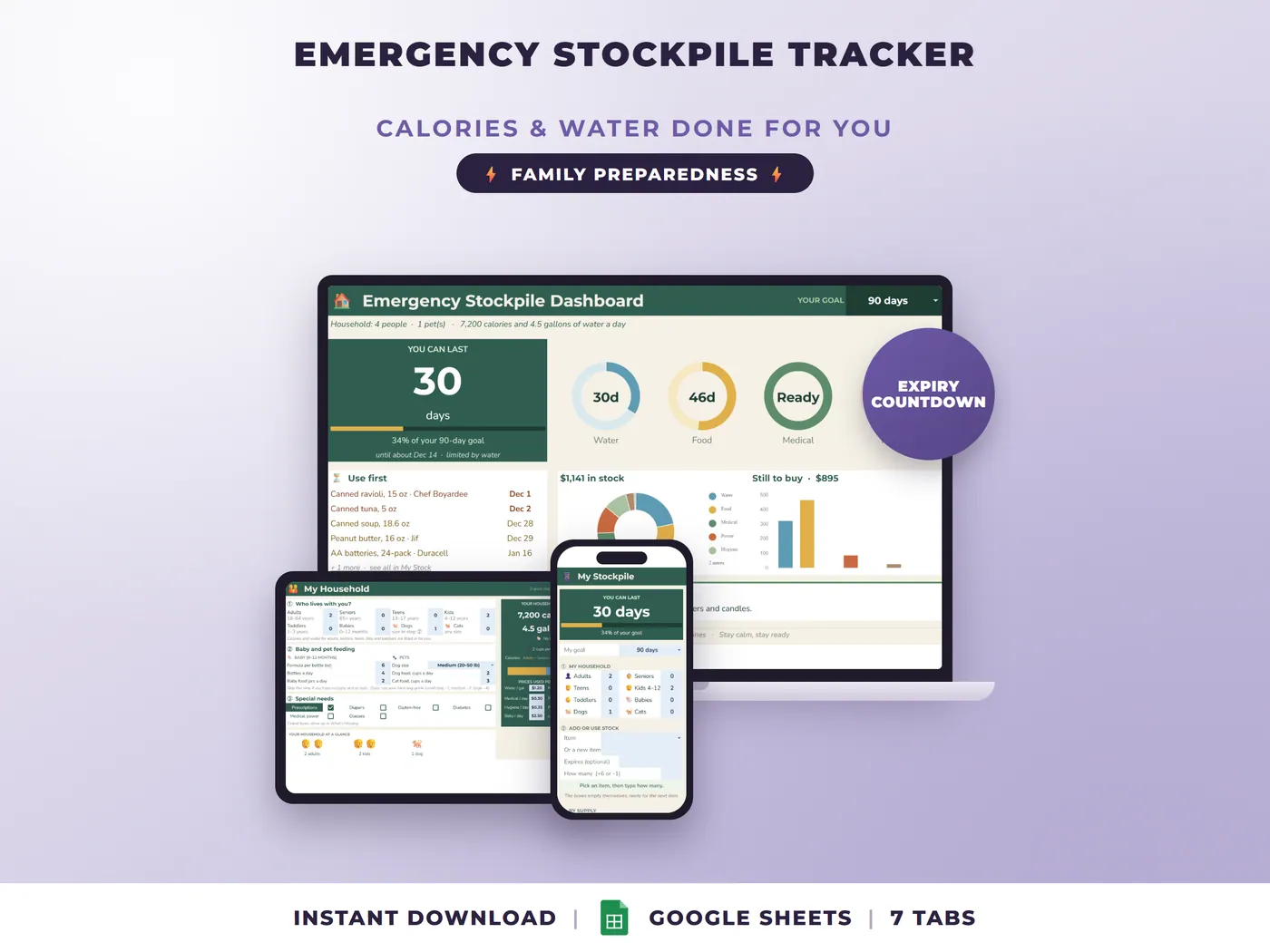
This emergency stockpile tracker for Google Sheets tells you how many days your household could last on the food, water, medical supplies and power you already have at home.
$3.99
One-time paymentSecure checkout by Stripe · Card, Apple Pay, Google Pay
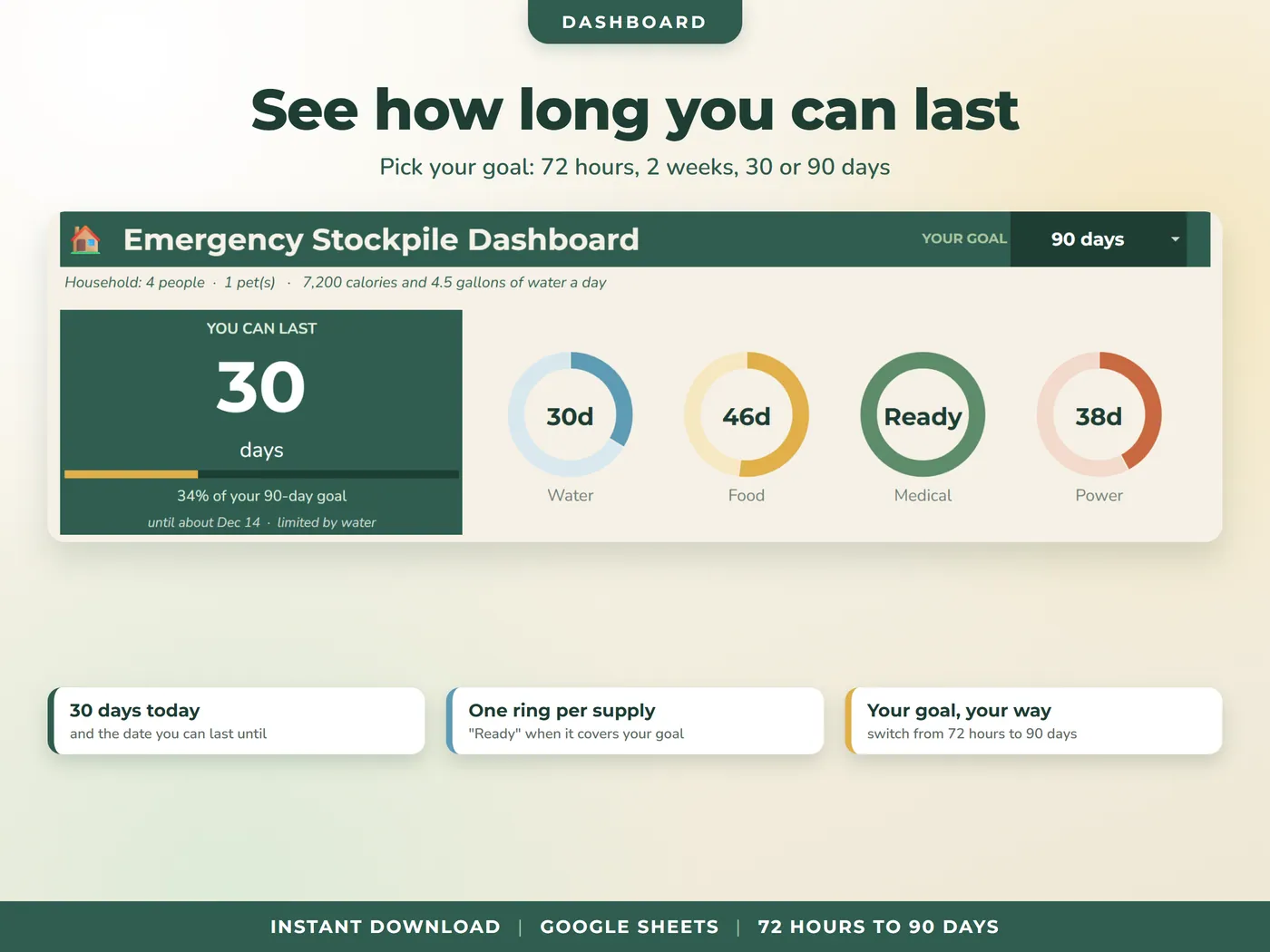
This emergency stockpile tracker for Google Sheets tells you how many days your household could last on the food, water, medical supplies and power you already have at home. It's a simple pantry inventory spreadsheet for families in the US who want to be calmly prepared for a storm, a power outage or any emergency, without guessing and without buying too much. Tell it who lives with you, count what's in your pantry, pick a goal (72 hours, 2 weeks, 30 days or 90 days) and the dashboard does the math: days of water, days of food, what expires first and exactly what is missing, with an estimated cost.
Made for you if...
Your routine
When To Use It
Before hurricane season, winter or wildfire season, to check you're ready
After a grocery run, to add what you bought in a few seconds
Once a month, to see what expires soon and use it first
When you plan your shopping, to buy only what is really missing for your goal
When your family changes (a new baby, a new pet, someone moving in)
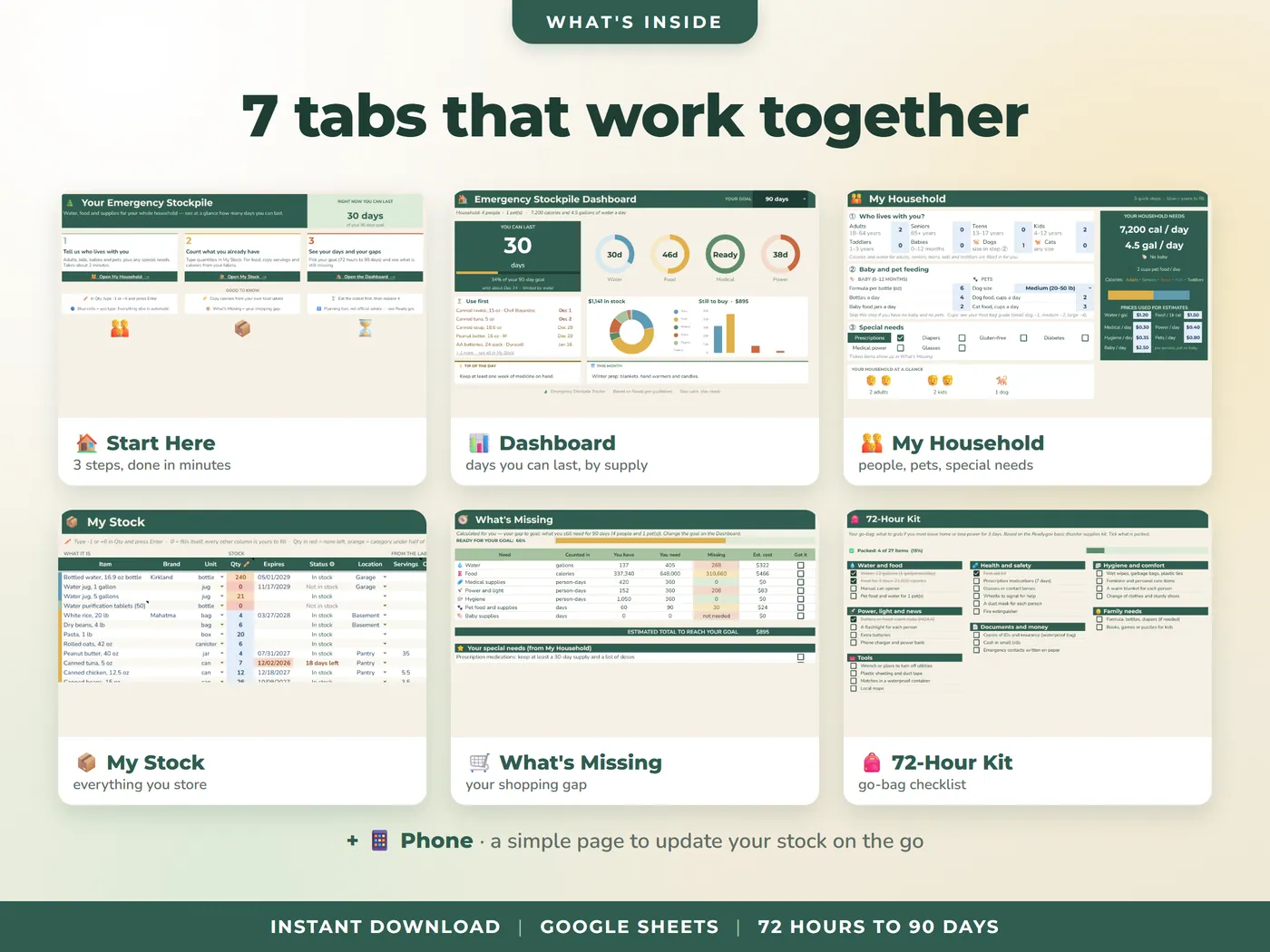
7 tabs
What's inside
3 setup steps, done in minutes
One simple page made for your phone. Add or use stock, change your household or goal, tick your 72-hour kit and see how many days you can last, without zooming
How many days you can last, one ring each for water, food, medical and power, a "use first" list of items that expire soonest, your stock value by category and what's still to buy for your goal
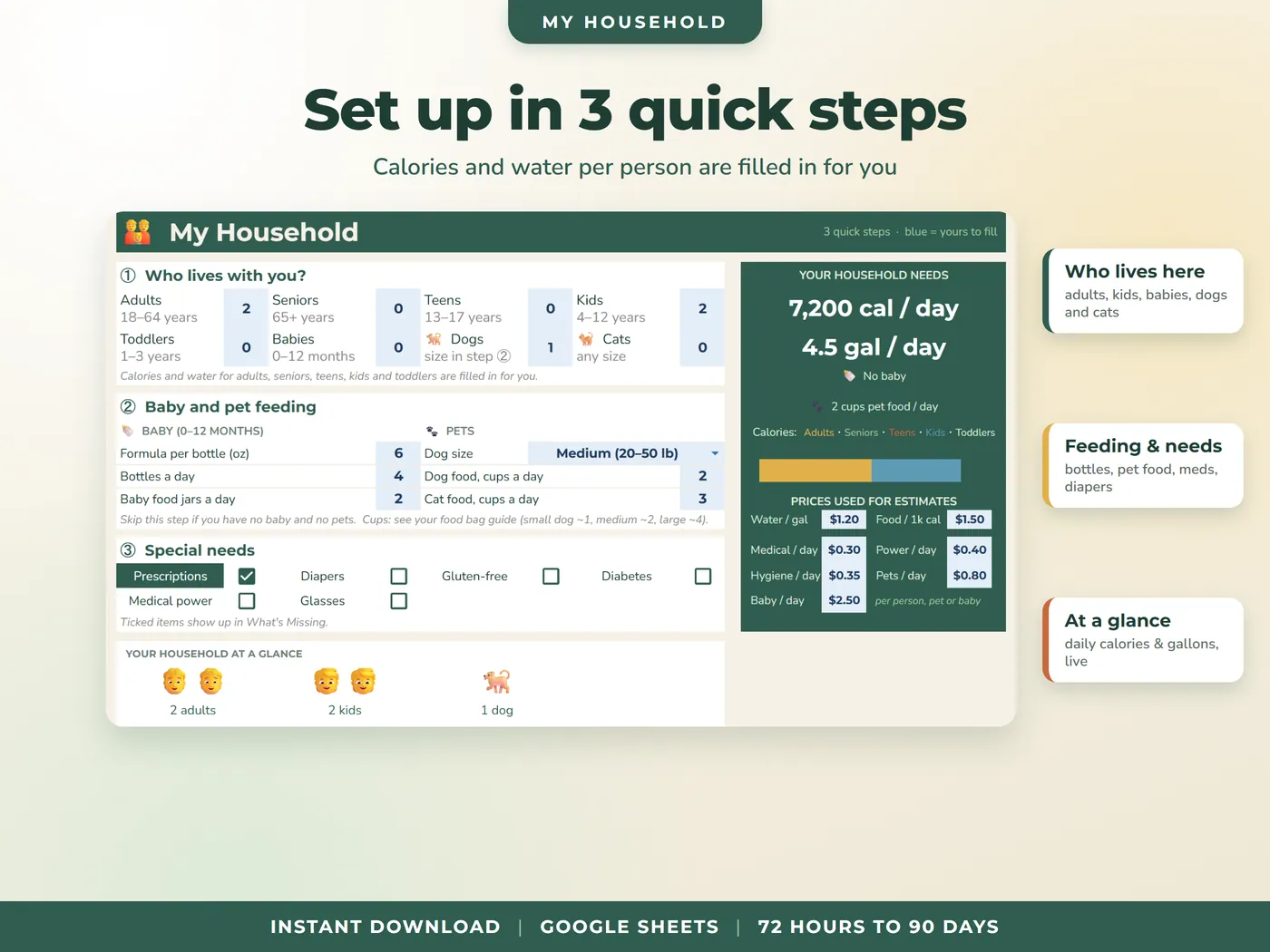
Adults, kids, babies, dogs and cats by age range, baby and pet feeding, special needs (medication, diapers and more). Daily calories and gallons of water are calculated for you
One list for everything you store, with 51 common items already listed, quantities, expiry dates, a "days left" countdown, room location and value. Categories are detected from the item name
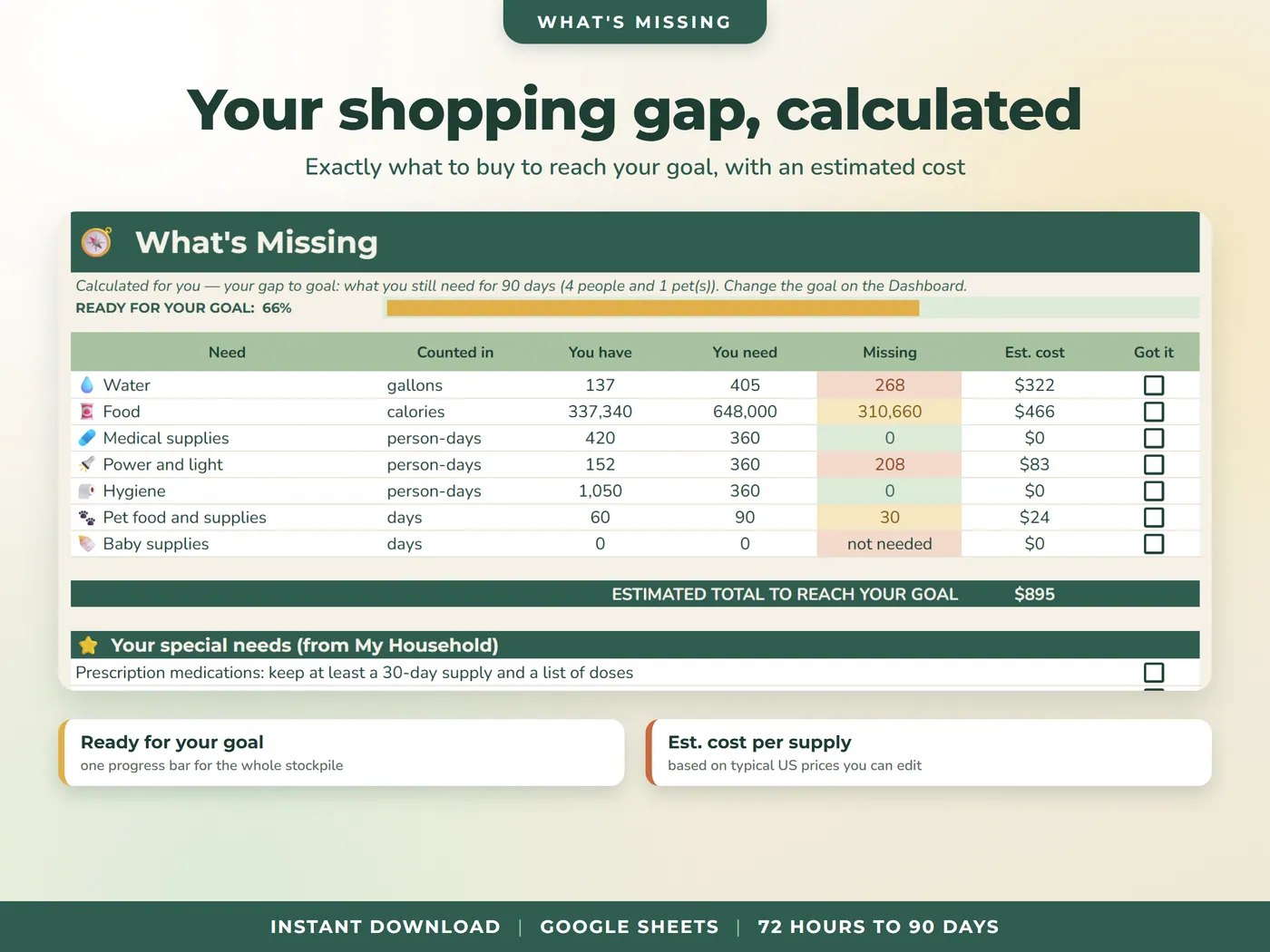
Your shopping gap for the goal you chose, item by item, with an estimated cost and a progress bar
A go-bag checklist with 27 essentials based on the Ready.gov basic emergency supply kit
Easy To Keep Up To Date
- Type +6 in the quantity cell after shopping, or -1 when you use one: the total updates by itself
- Water counted 1 gallon per person per day, as recommended by Ready.gov
- Calories based on each person's age
- Typical US prices included, and you can change them
- Quantity turns red at zero and orange when a category is running low
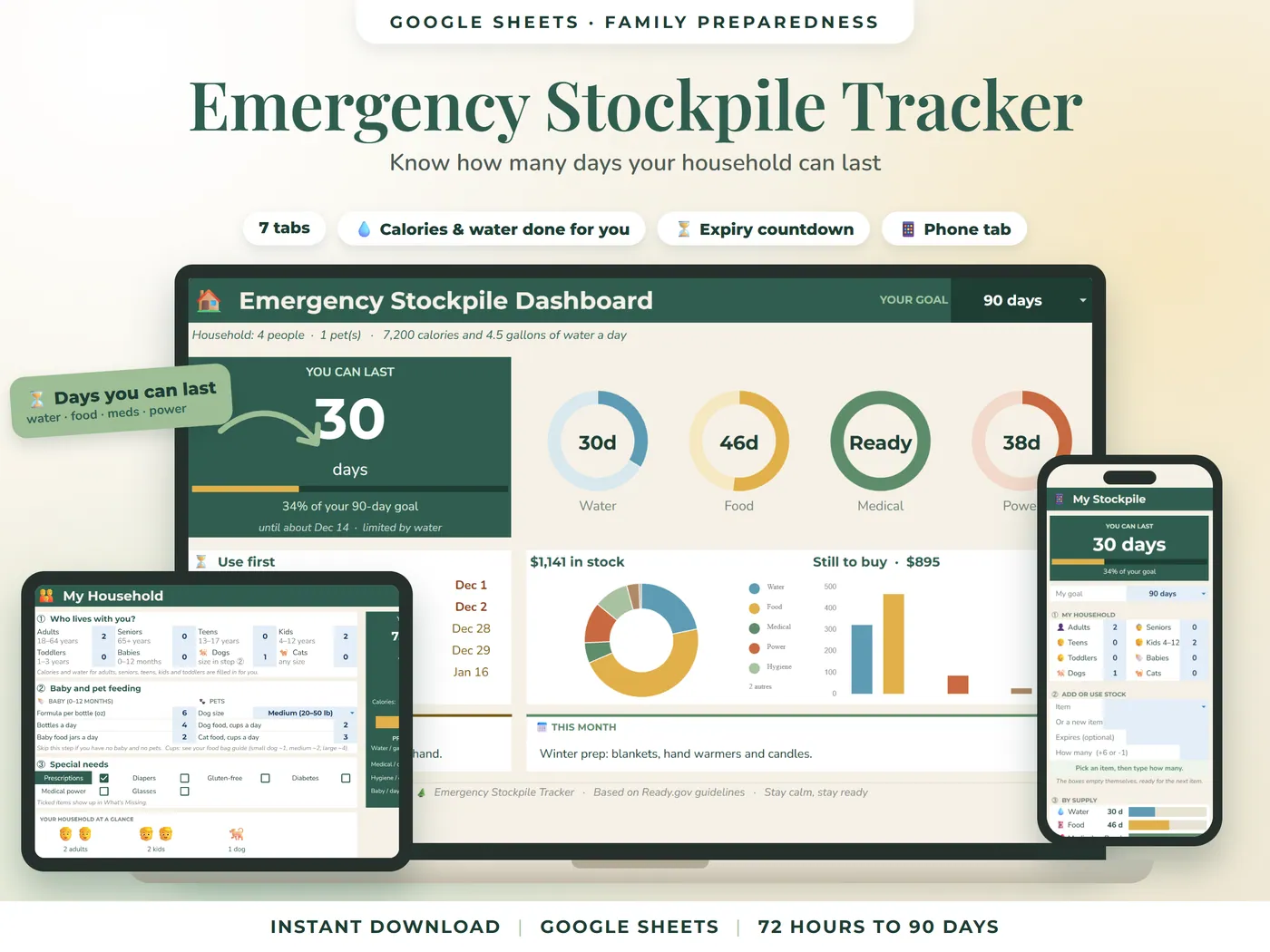
Computer, Tablet Or Phone?
On a computer (Mac or Windows, in any web browser): the easiest way to set up your household and your first list
On your phone or tablet (free Google Sheets app for iPhone, iPad and Android): open the Phone tab to add stock right in the pantry, tick your go-bag and check how many days you can last
Everything stays in sync: what you change on one device shows up on the others
What You Get
- A Google Sheets emergency stockpile template: you get your own private copy with one click
- A PDF with your access link, a quick start guide and answers to common questions
Delivered instantly · $3.99 · pay once
What You Need
- A free Google account
- A computer is recommended for the first setup
- This tracker is made for Google Sheets; it does not work in Excel or Numbers
Step by step
How To Get Started
- 01
Buy it here: your download page opens right away, with your link and the PDF
- 02
Click the link in the PDF and choose "Make a copy"
- 03
Fill in the blue cells in My Household: who lives with you and any special needs
- 04
Type your quantities in My Stock and pick your goal on the Dashboard
Why You'll Love It
- Pay once, no monthly fee
- Calm, practical preparedness: you know exactly where you stand
- Blue cells are yours to fill in; everything else is calculated for you
- Your data stays private in your own Google Drive
Please Note
- This is a digital download; no physical item will be shipped
- Because of the digital nature of this item, returns and refunds are not accepted
- Amounts are in US dollars, quantities in US units (gallons, ounces)
- This tracker is a planning tool and does not replace official advice from your local emergency services
- For personal use only; please do not share or resell the template