 1 / 8
Cleaning Schedule
Tired of deciding what to clean every day? Write each chore once in this Google Sheets cleaning schedule: how often, which day and who does it.
$2.99
One-time paymentSecure checkout by Stripe · Card, Apple Pay, Google Pay
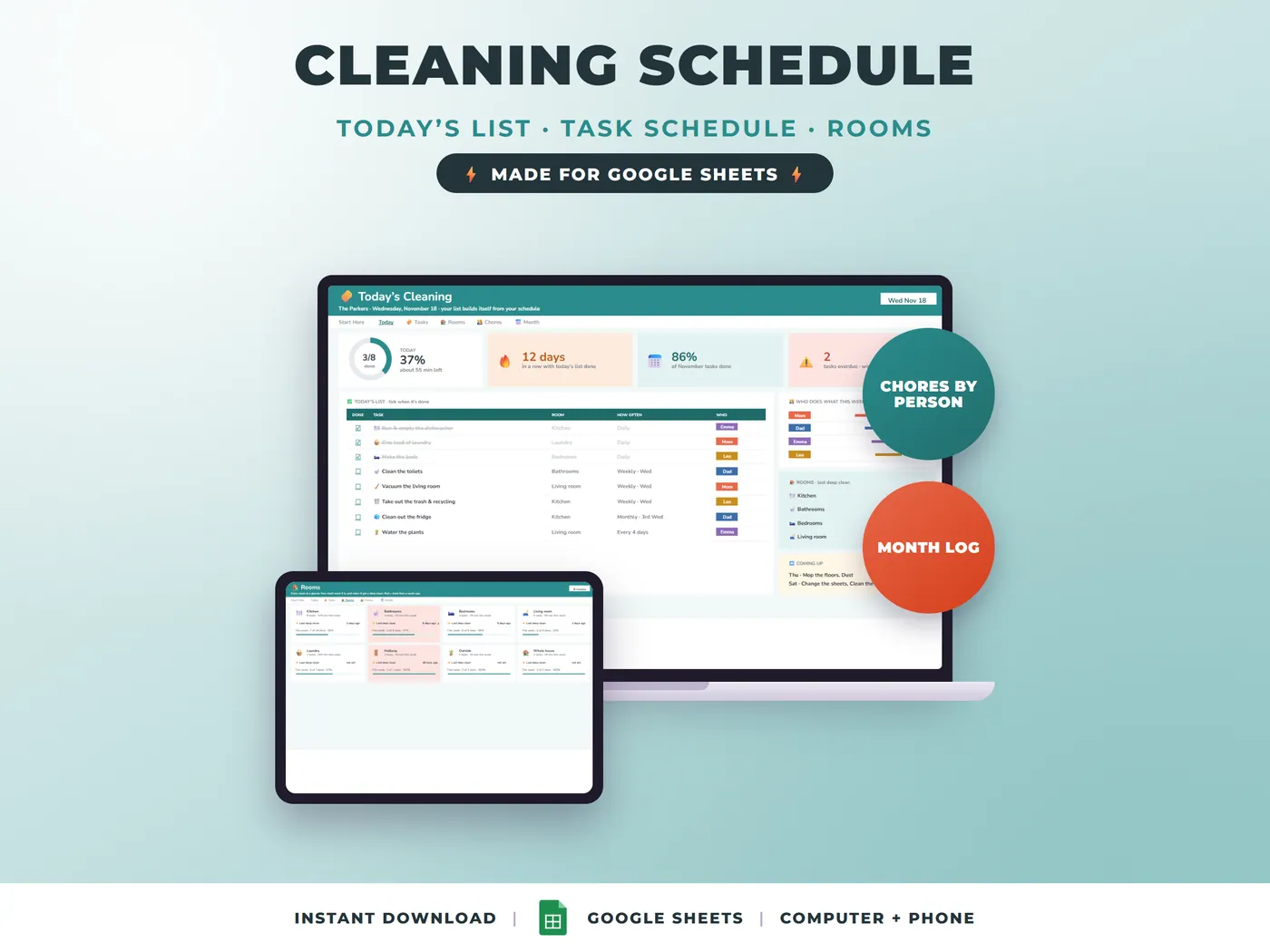
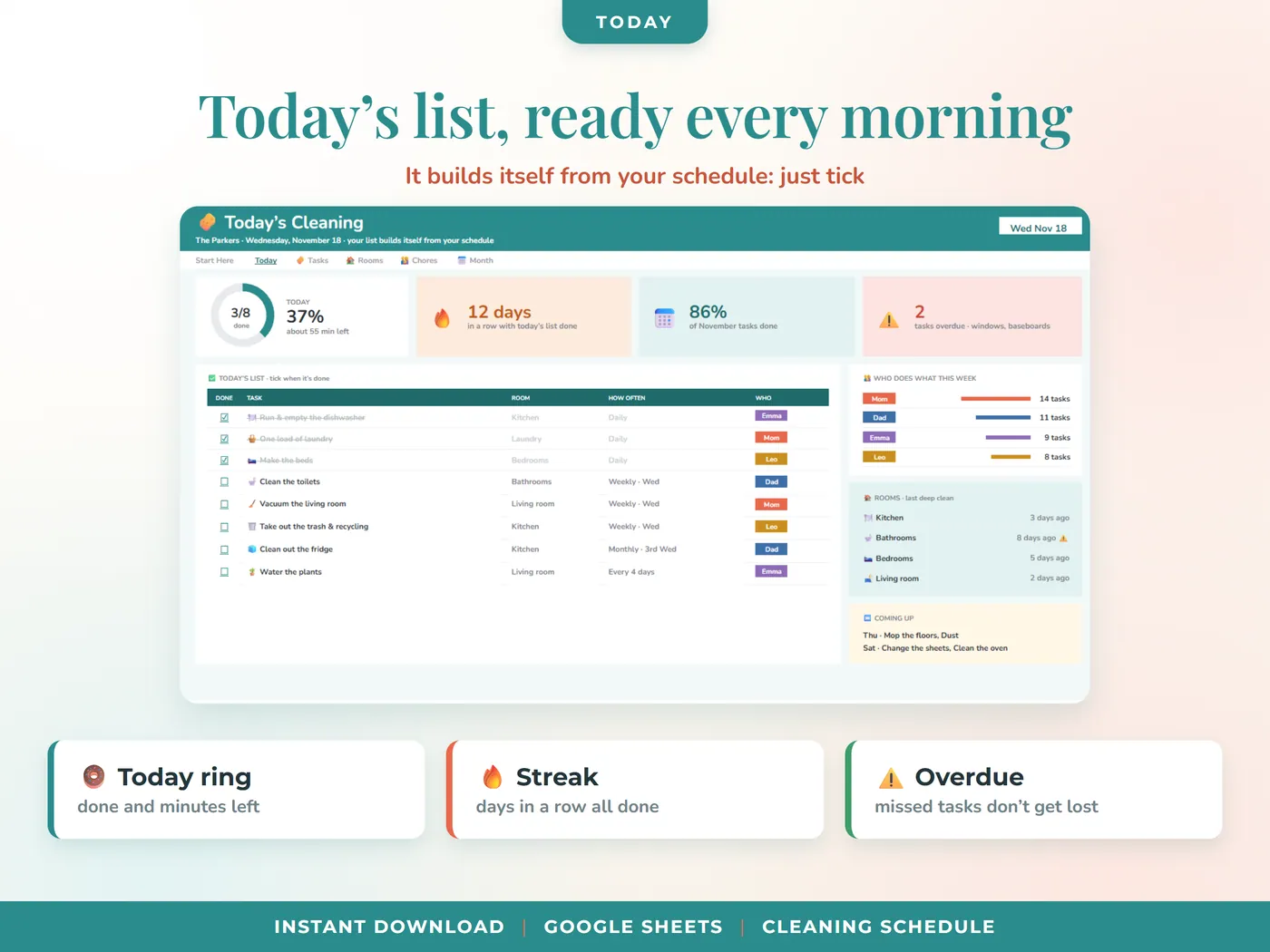
Tired of deciding what to clean every day? Write each chore once in this Google Sheets cleaning schedule: how often, which day and who does it. Every day the Today tab builds your list by itself. Just tick.
Step by step
How It Works
- 01
Set it up: your family (up to 6 people with their colour) and your rooms (up to 8)
- 02
Write each chore once: room, how often (daily, weekly, every 2 weeks, monthly or every N days), the day and who does it
- 03
Open Today: your list is ready. Click the box to tick it in the month log, everything else updates
6 parts
What's inside
Your list for the day, a ring with what is done and minutes left, your streak, this month's %, overdue chores, who does what this week, rooms and what is coming up
Every chore with its room, how often, day, who and minutes
A card for every room with its chores, minutes this week and its last deep clean (red after a week)
A card for each person with tasks done this week and what is still to do
One line a day, one column a chore. Teal = to do that day, red = missed, and the % done each day
Your family name, people with their colour and your rooms
Good to know
Works on computer, tablet and phone, in the free Google Sheets app.
Made for Google Sheets, not Excel.
One year per file: for a new year, make a copy.
What You Get
- A PDF with your link to make your own copy, plus a quick start guide. You need a free Google account. Pay once, no subscription, private in your own Google Drive. The names and numbers in the photos are examples: your copy starts empty.
- Digital download, nothing will be shipped. No returns on digital items. For personal use only.
Delivered instantly · $2.99 · pay once