 1 / 8
Business Expense and Mileage Log
Tax time without the shoebox of receipts.
$2.99
One-time paymentSecure checkout by Stripe · Card, Apple Pay, Google Pay
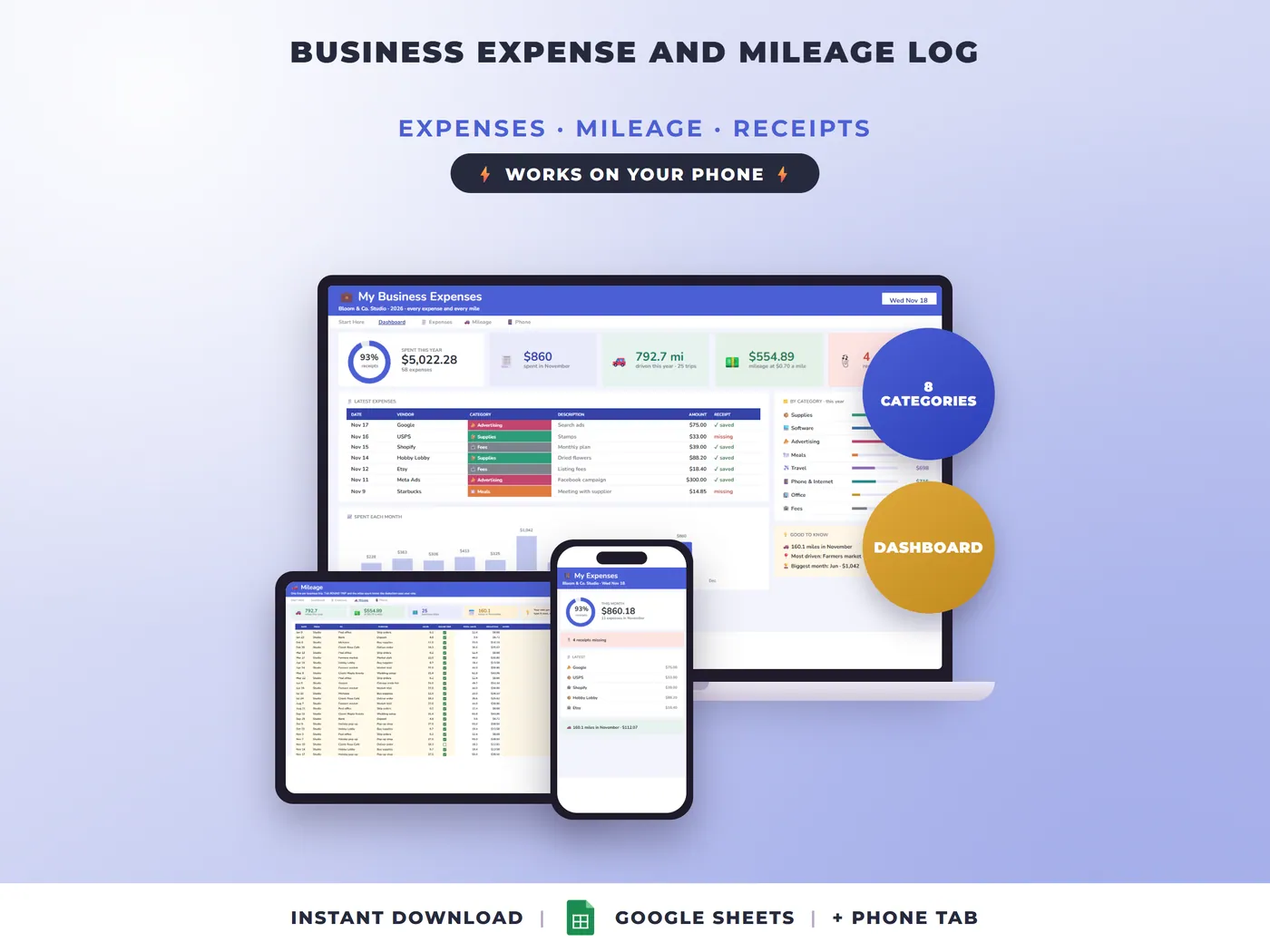
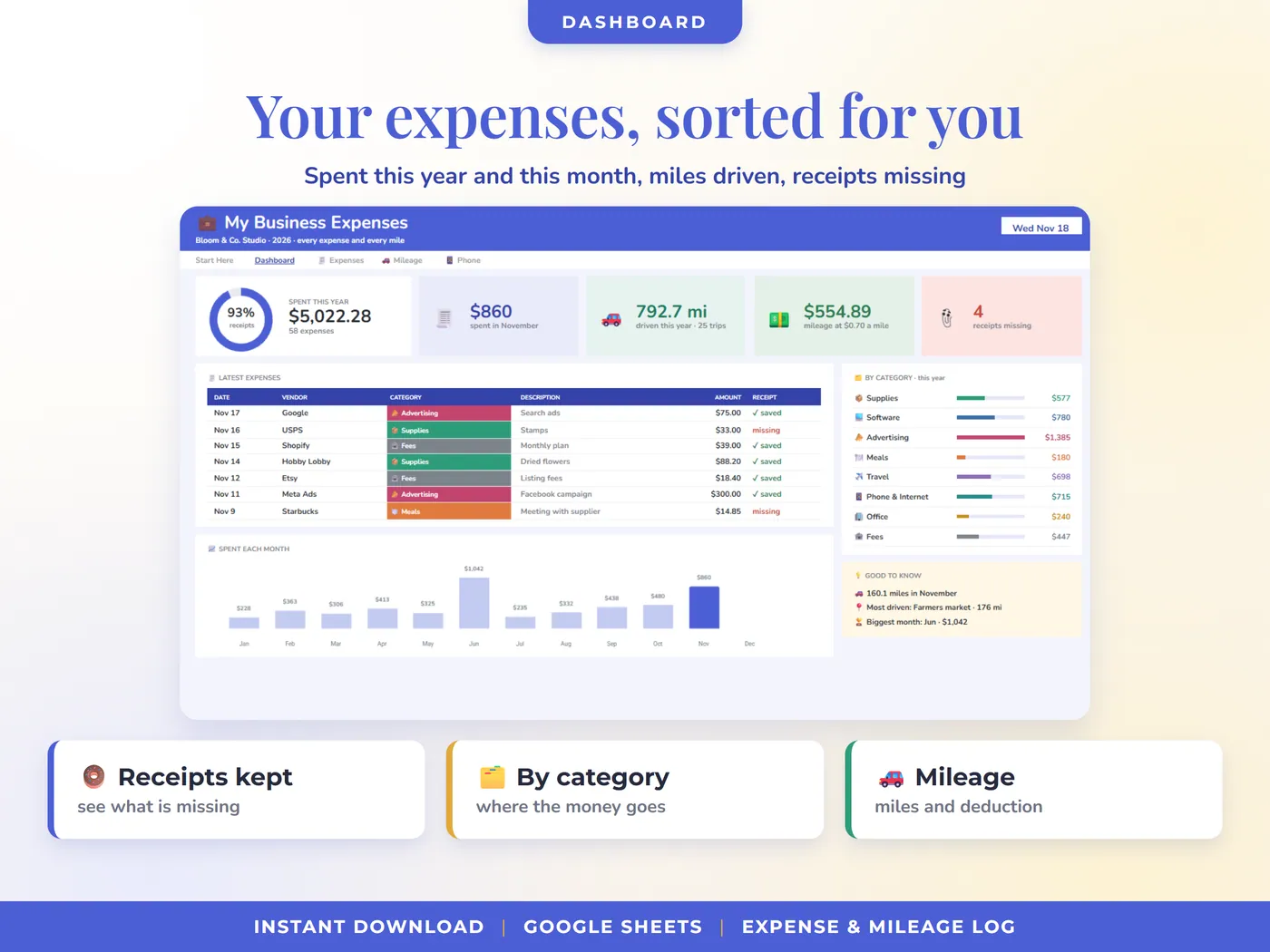
Tax time without the shoebox of receipts. Log every business expense and every trip in this Google Sheets expense and mileage log: the dashboard shows what you spent, by category and by month, the miles you drove and the receipts still missing.
Step by step
How It Works
- 01
Set it up: your business name, the year, the rate per mile you use and 8 categories you can rename
- 02
Log each expense in one line: date, vendor, category, amount, payment. Tick RECEIPT once you have kept it
- 03
Log each business trip: from, to, purpose and miles. Tick ROUND TRIP and the miles count twice
5 parts
What's inside
Receipts kept ring, spent this year and this month, miles driven, mileage deduction, receipts missing, latest expenses, spent each month and spending by category
One line per expense with vendor, category, amount, payment and a receipt tick box
One line per trip with round trip tick box, total miles and deduction worked out with your rate
Your settings and 8 categories with emoji and colour
Made for your phone. This month, latest expenses and miles
Good to know
Works on computer, tablet and phone, in the free Google Sheets app.
Amounts in US dollars and miles. Made for Google Sheets, not Excel.
You type your own rate per mile. It keeps your records tidy; it is not tax advice.
One year per file: for a new year, make a copy and clear the lines.
What You Get
- A PDF with your link to make your own copy, plus a quick start guide. You need a free Google account. Pay once, no subscription, private in your own Google Drive. The names and numbers in the photos are examples: your copy starts empty.
- Digital download, nothing will be shipped. No returns on digital items. For personal use only.
Delivered instantly · $2.99 · pay once